ゲームクライアントでチャレンジを表示する
Last updated on February 4, 2026
注釈:本資料はAI技術を用いて翻訳されています。
概要
AccelByte Gaming Services (AGS) Challengeを使用すると、プレイヤーが取り組むアクティブなチャレンジと、それらのチャレンジを完了するための進捗状況を表示できます。この記事では、AGS Gaming SDKを使用してAGS Challengeと統合したチャレンジとその進捗状況、ゴール、報酬を表示する方法について説明します。
前提条件
- AGS Game SDKがUnrealまたはUnityプロジェクトにインストールおよび設定されていること。
- ゲーム用にIAMクライアントが設定されており、そのIAMクライアントのIDとシークレットへのアクセス権があること。
- AGS Challengeを使用してプロジェクトにチャレンジが統合されていること。
ゲームクライアントでチャレンジを表示する
チャレンジ設定が完了したら、それらを取得してゲームクライアントに表示するか、そのコードにアクセスできます。
利用可能なすべてのチャレンジを取得して表示する
利用可能なすべてのチャレンジ設定を取得し、次のコードを使用してゲームクライアントに表示できます:
- Unreal Engine
- Unity
AccelByteOnlineSubsystemPtr->GetApiClient()->Challenge.GetChall6enges(THandler<FAccelByteModelsGetChallengesResponse>::CreateLambda([]
  (const FAccelByteModelsGetChallengesResponse& Response)
{
  for (auto ChallengeData : Response.Data)
  {
     UE_LOG(LogTemp, Warning, TEXT("Challenge Name: %s Status: %s"),
        *ChallengeData.Name, *FAccelByteUtilities::GetUEnumValueAsString(ChallengeData.Status));
     // more various things to do with the challenge data
  }
}), FErrorHandler::CreateLambda([](int32 ErrorCode, const FString& ErrorMessage)
{
  UE_LOG(LogTemp, Warning, TEXT("[%d]: %s"),
     ErrorCode, *ErrorMessage);
}));
AccelByteSDK.GetClientRegistry().GetApi().GetChallenge().GetChallenges(ChallengeStatus.None, result =>
{
    if (result.IsError)
    {
        // Things to do when Error happens
        Debug.LogWarning($"Failed to GetChallenges {result.Error.Code} : {result.Error.Message}");
        return;
    }

    Debug.Log($"GetChallenges Success");
    foreach (var item in result.Value.Data)
    {
        Debug.Log($"Challenge Name: {item.Name} Status: {item.Status}");
    }
});
特定のチャレンジを取得して表示する
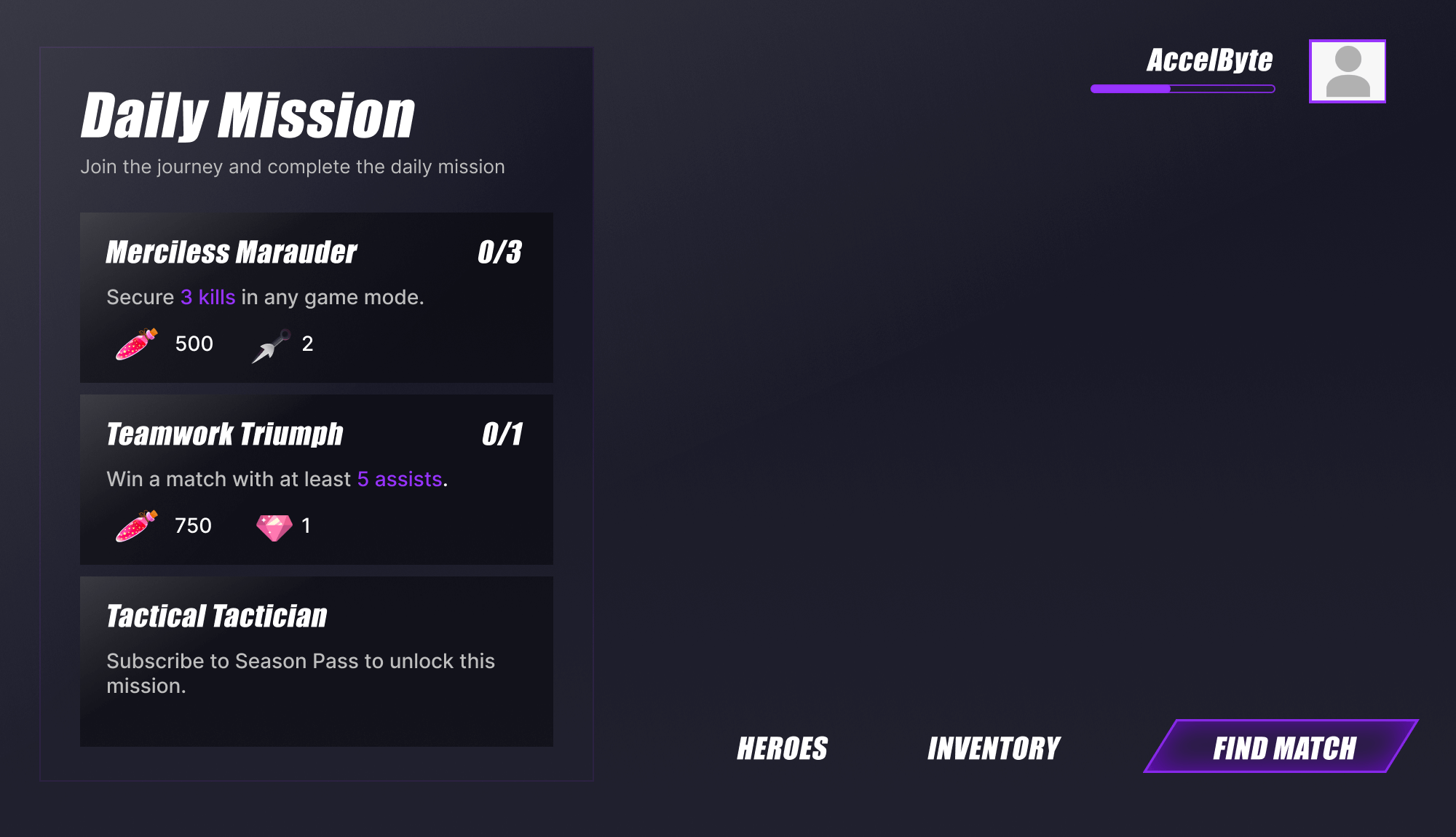
特定のチャレンジ設定を取得し、次のコードを使用してゲームクライアントに表示できます:
- Unreal Engine
- Unity
const FString& ChallengeCode = TEXT("specific-challenge-code");
AccelByteOnlineSubsystemPtr->GetApiClient()->Challenge.GetScheduledChallengeGoals(
  ChallengeCode, THandler<FAccelByteModelsGetScheduledChallengeGoalsResponse>::CreateLambda([]
     (const FAccelByteModelsGetScheduledChallengeGoalsResponse& Response)
{
  for (auto ChallengeGoalData : Response.Data)
  {
     UE_LOG(LogTemp, Warning, TEXT("Goal Name: %s Description: %s IsActive: %hhd"),
        *ChallengeGoalData.Name, *ChallengeGoalData.Description, ChallengeGoalData.IsActive)
  }
}), FErrorHandler::CreateLambda([](int32 ErrorCode, const FString& ErrorMessage)
{
  UE_LOG(LogTemp, Warning, TEXT("[%d]: %s"),
     ErrorCode, *ErrorMessage);
}));
const string challengeCode = "specific-challenge-code";
AccelByteSDK.GetClientRegistry().GetApi().GetChallenge().GetScheduledChallengeGoals(challengeCode, result =>
{
    if (result.IsError)
    {
        // Things to do when Error happens
        Debug.LogWarning($"Failed to GetChallengeGoals {result.Error.Code} : {result.Error.Message}");
        return;
    }

    Debug.Log($"GetScheduledChallengeGoals Success");
    foreach (var item in result.Value.Data)
    {
        Debug.Log($"Goal Name: {item.Name} Description: {item.Description} IsActive: {item.IsActive}");
    }
});
プレイヤーの進捗状況を表示する
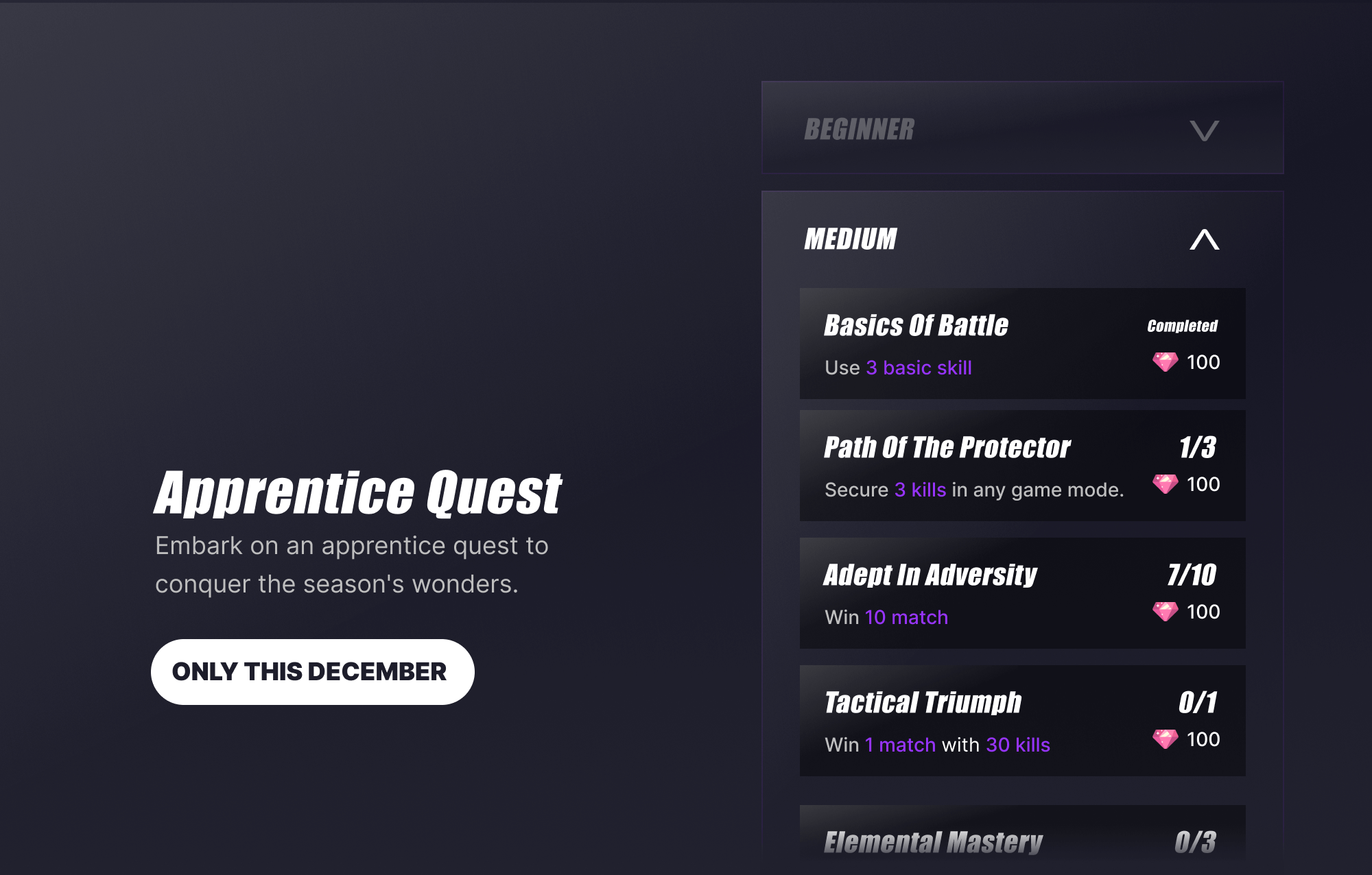
プレイヤーのチャレンジ完了に向けた進捗状況を取得し、次のコードを使用してゲームクライアントに表示できます:
- Unreal Engine
- Unity
const FString& ChallengeCode = TEXT("specific-challenge-code");
const FString& GoalCode = TEXT("specific-goal-code");
AccelByteOnlineSubsystemPtr->GetApiClient()->Challenge.GetChallengeProgress(
  ChallengeCode, GoalCode, THandler<FAccelByteModelsChallengeProgressResponse>::CreateLambda([]
     (const FAccelByteModelsChallengeProgressResponse& Response)
{
  for (auto ChallengeGoalProgressData : Response.Data)
  {
     UE_LOG(LogTemp, Warning, TEXT("Goal Code: %s Status: %s"),
        *ChallengeGoalProgressData.GoalCode, *FAccelByteUtilities::GetUEnumValueAsString(ChallengeGoalProgressData.Status));
  }
}), FErrorHandler::CreateLambda([](int32 ErrorCode, const FString& ErrorMessage)
{
  UE_LOG(LogTemp, Warning, TEXT("[%d]: %s"),
     ErrorCode, *ErrorMessage);
}));
const string challengeCode = "specific-challenge-code";
const string goalCode = "specific-goal-code";
AccelByteSDK.GetClientRegistry().GetApi().GetChallenge().GetChallengeProgress(challengeCode, goalCode, result =>
{
    if (result.IsError)
    {
        // Things to do when Error happens
        Debug.LogWarning($"Failed to GetChallengeProgress {result.Error.Code} : {result.Error.Message}");
        return;
    }

    Debug.Log($"GetChallengeProgress Success");
    foreach (var item in result.Value.Data)
    {
        Debug.Log($"Goal Code : {item.ChallengeCode} Status: {item.Status}");
    }
});