Configure revocation rules
Overview
The AccelByte Gaming Services (AGS) Revocation service enables you to configure and customize your revocation strategy logic for durable entitlements, consumable entitlements, and virtual currencies.
This article walks you through how to configure revocation rules correctly based on your preferences and business needs as well as the implications of each rule. You can configure them in the Admin Portal or with the AGS CLI.
Prerequisites
- Store, wallets, and in-app purchase services are configured properly.
- If the user intends to use customized revocation rules, the custom service address must be configured properly.
- To follow the AGS CLI steps, you have installed the AGS CLI and signed in. See Install and sign in.
Configure revocation strategies
Revoke virtual currency
- Admin Portal
- AGS CLI
-
In the AGS Admin Portal, go to your namespace.
-
On the sidebar, go to Commerce> Revocations > Configurations.
-
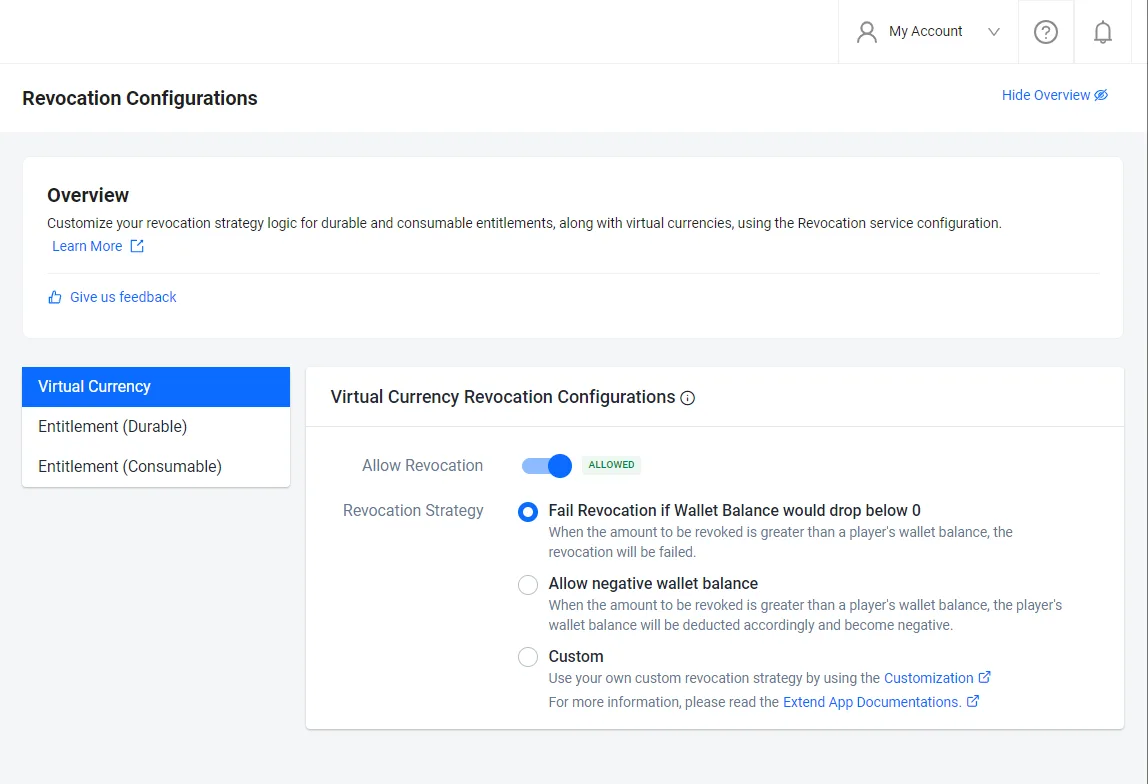
If you would like to enable virtual currency revocation, turn on the Allow Revocation toggle, then select your preferred revocation strategy.
-
Fail Revocation if Wallet Balance would drop below 0: Select this when the amount to be revoked is greater than a player's wallet balance, the revocation will be failed.
-
Allow negative wallet balance: Select this when the amount to be revoked is greater than a player's wallet balance, the player's wallet balance will be deducted accordingly and become negative.
-
Customization: Select this to use your own custom revocation strategy by using gRPC Custom Service.
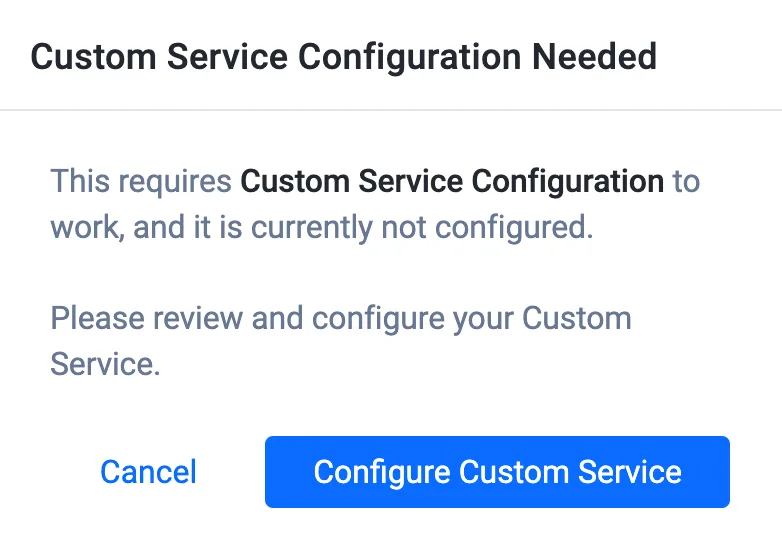
note- Virtual currencies can only be deducted from their corresponding wallets.
- Custom Service gRPC Server Address needs to be configured if you would like to use customization.
-
-
Save the current revocation configuration to a file. Any file name works. This example uses
revocation-config.json:ags platform revocations get-config --namespace <YourNamespace> --format json > revocation-config.json -
In the file, change the
walletsection. Setenabledtotrueto turn on Allow Revocation, and setstrategyto one of the values in the table:{
"wallet": {
"enabled": true,
"strategy": "REVOKE_OR_REPORT"
}
}Admin Portal strategy strategyvalueFail Revocation if Wallet Balance would drop below 0 REVOKE_OR_REPORTAllow negative wallet balance ALWAYS_REVOKECustomization CUSTOM -
Send the whole file back. This resends the other settings as they are, the same way the Admin Portal does:
ags platform revocations update-config --namespace <YourNamespace> --json @revocation-config.jsonnoteIf you use
CUSTOM, configure the custom service gRPC server address first. Otherwise, the update fails.
Durable entitlements revocation
To configure your preferred strategy for durable entitlements, follow these steps:
- Admin Portal
- AGS CLI
-
In the AGS Admin Portal, go to your namespace.
-
On the sidebar, go to Commerce> Revocations > Configurations.
-
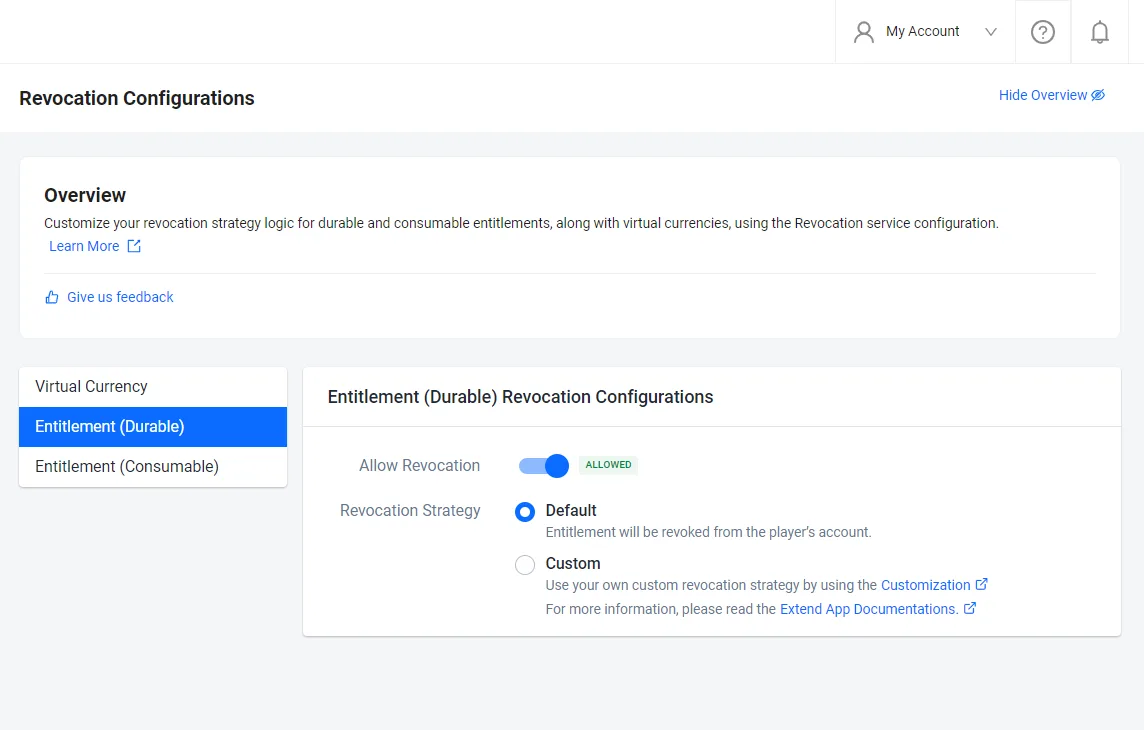
On the Revocation Configurations page, select Entitlement (Durable).
-
Select your preferred strategy for durable entitlements.
- Default: Entitlement will be revoked from the player's account.
- Customization: Use your own custom revocation strategy by using gRPC Custom Service.
-
Save the current revocation configuration to a file. Any file name works. This example uses
revocation-config.json:ags platform revocations get-config --namespace <YourNamespace> --format json > revocation-config.json -
In the file, change the
entitlement.durablesection. SetstrategytoREVOKE_OR_REPORTfor Default orCUSTOMfor Customization:{
"entitlement": {
"durable": {
"enabled": true,
"strategy": "REVOKE_OR_REPORT"
}
}
} -
Send the whole file back. This resends the other settings as they are, the same way the Admin Portal does:
ags platform revocations update-config --namespace <YourNamespace> --json @revocation-config.jsonnoteIf you use
CUSTOM, configure the custom service gRPC server address first. Otherwise, the update fails.
Consumable entitlements revocation
- Admin Portal
- AGS CLI
-
In the AGS Admin Portal, go to your namespace.
-
On the sidebar, go to Commerce> Revocations > Configurations.
-
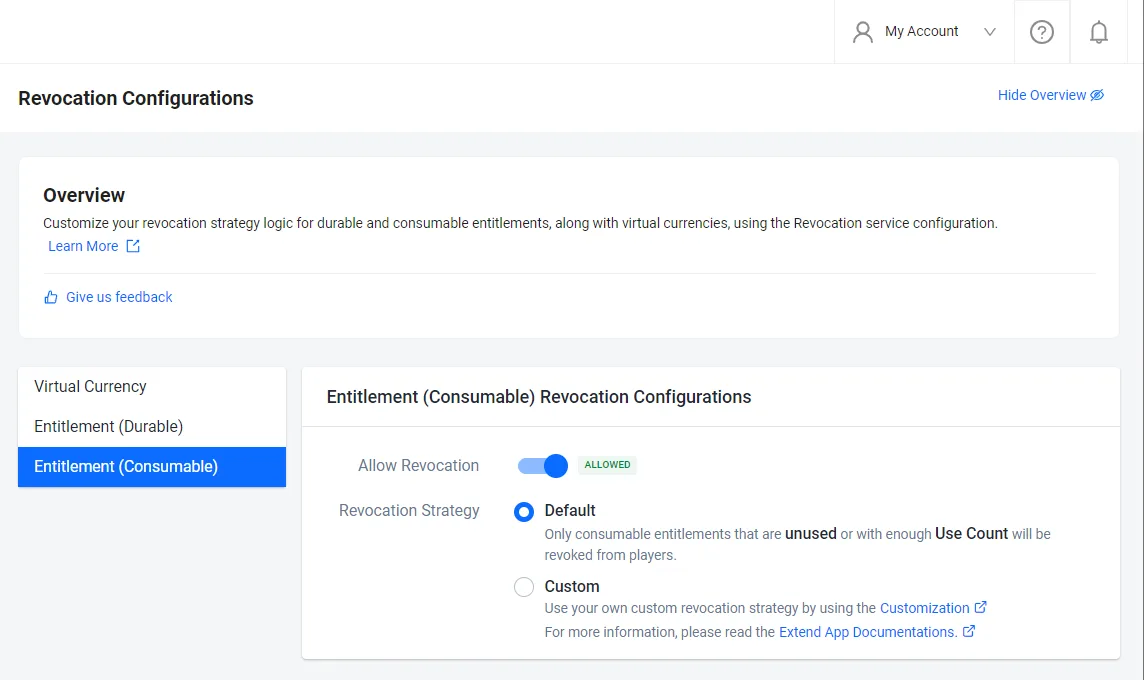
On the Revocation Configurations page, select Entitlement (Consumable).
-
Select your preferred strategy for consumable entitlements.
- Default: Only consumable entitlements that are unused or with enough use count will be revoked from players.
- Customization: Use your own custom revocation strategy by using gRPC Custom Service.
-
Save the current revocation configuration to a file. Any file name works. This example uses
revocation-config.json:ags platform revocations get-config --namespace <YourNamespace> --format json > revocation-config.json -
In the file, change the
entitlement.consumablesection. SetstrategytoREVOKE_OR_REPORTfor Default orCUSTOMfor Customization:{
"entitlement": {
"consumable": {
"enabled": true,
"strategy": "REVOKE_OR_REPORT"
}
}
} -
Send the whole file back. This resends the other settings as they are, the same way the Admin Portal does:
ags platform revocations update-config --namespace <YourNamespace> --json @revocation-config.jsonnoteIf you use
CUSTOM, configure the custom service gRPC server address first. Otherwise, the update fails.
View revocation history
- Admin Portal
- AGS CLI
-
In the AGS Admin Portal, go to your namespace.
-
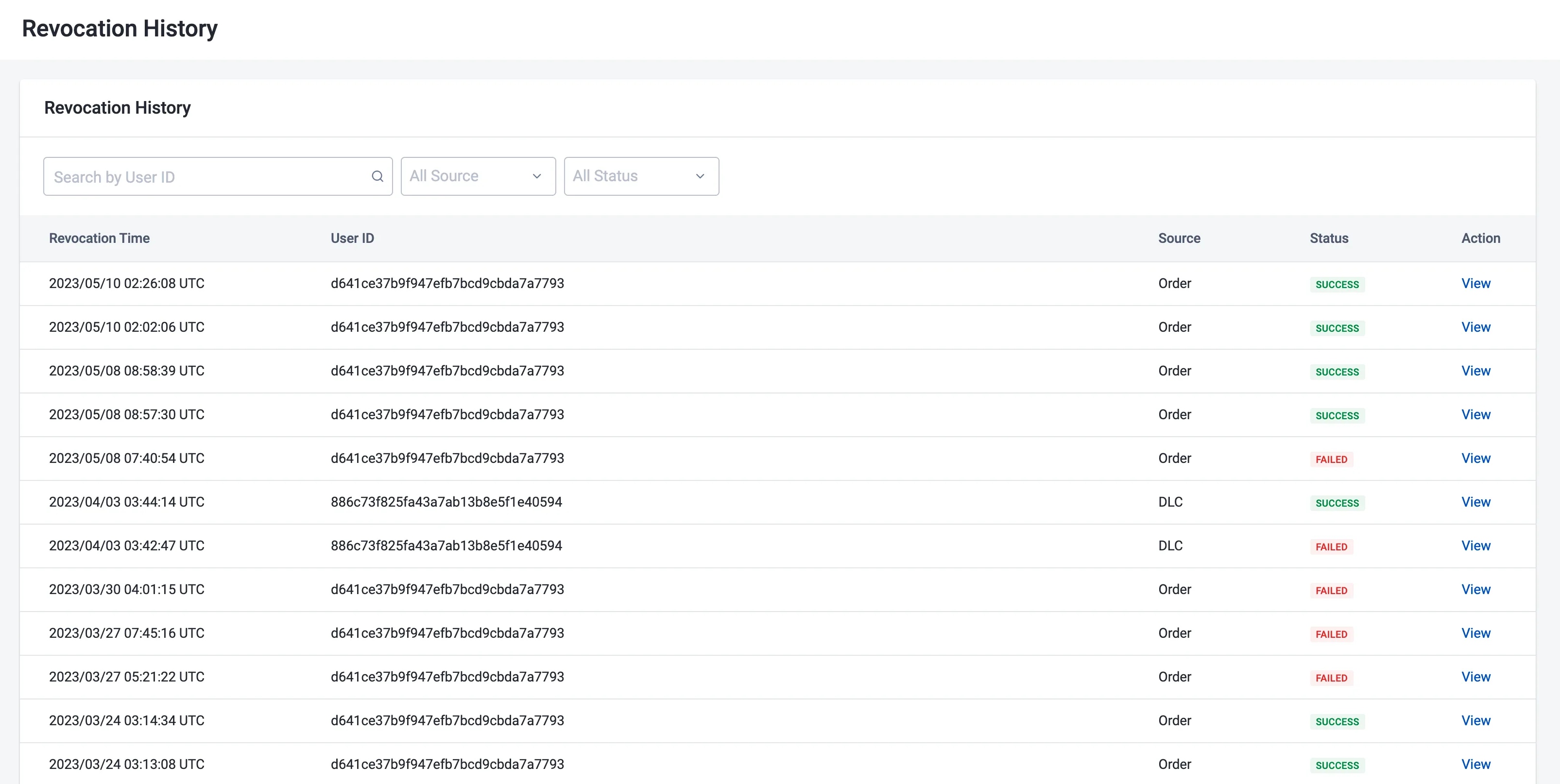
On the sidebar, go to Commerce> Revocations > Revocation History. The Revocation History page appears, showing a table of all historical revocation records is displayed.
-
On the Revocation History page, you can narrow down your search by using the All Source and All Status filters, or search for individual user records by using the Search by User ID search box.
- All Source: This includes Order, downloaded content (DLC), and Other, which indicates where these revocations came from.
- All Status: This includes "Success" and "Failed".
-
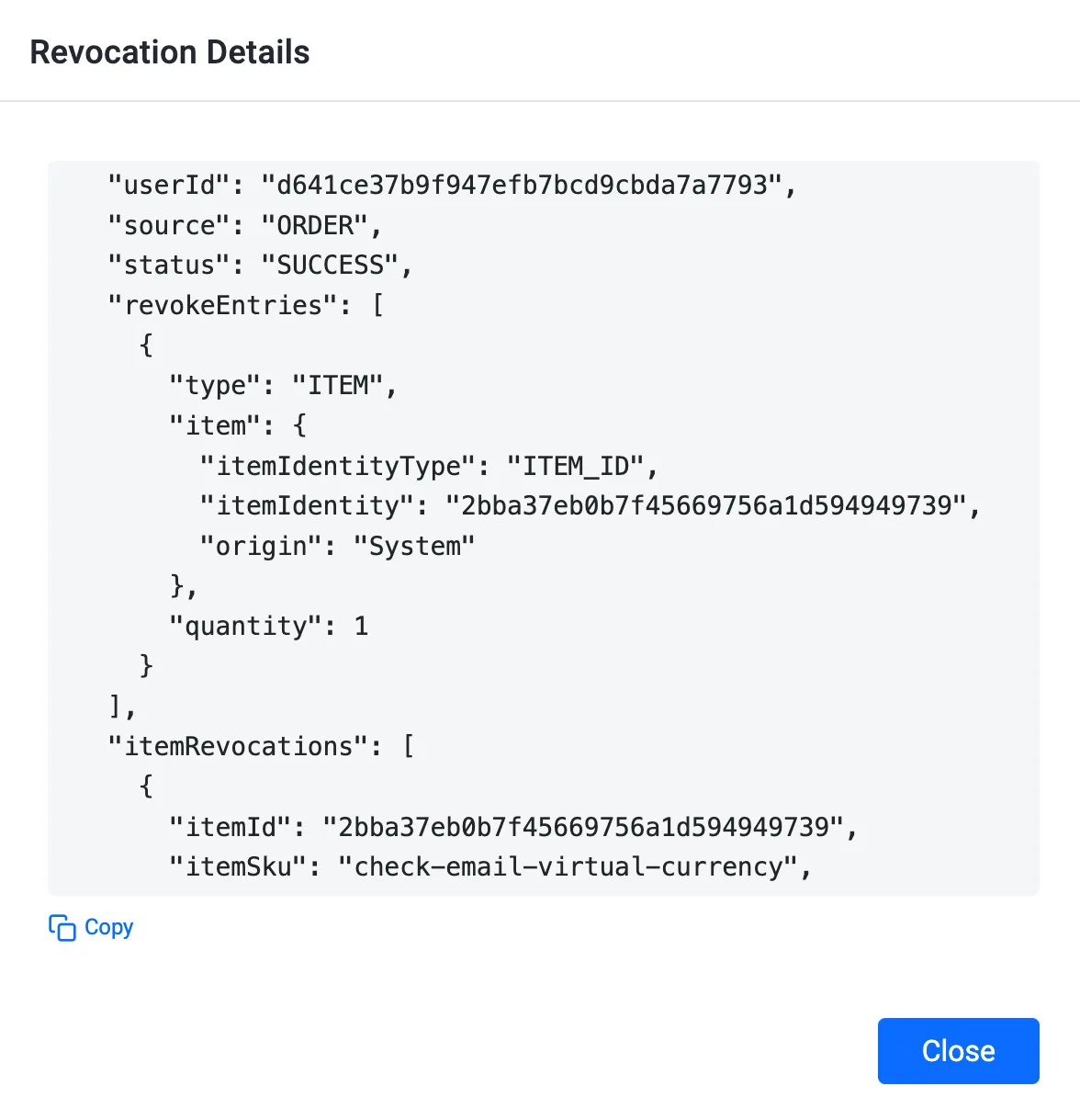
To open a specific revocation record, click its View button to view its details.
-
List the revocation history of a player:
ags platform revocations get-history --namespace <YourNamespace> --user-id <UserId> -
To narrow down the results, add a source or a status filter. The source is
ORDER,DLC,IAP, orOTHER. The status isSUCCESSorFAIL:ags platform revocations get-history --namespace <YourNamespace> --source ORDER --status FAILEach record in the output includes its details.
Refund and chargeback
-
Refund and chargeback events that occur on third-party platforms are hard to detect as AGS is not directly integrated with third-party platforms.
-
For PlayStation, AGS uses Sony's Commerce Management API to detect when there is a refund or a chargeback event and will revoke or reinstate player entitlements or ownership accordingly.
-
For other platforms, AGS cross-references durable entitlements a player has on the third-party platform with what the player has on AGS. Then, AGS will revoke or grant entitlements accordingly.
note- This is an automatic process but only happens when a player logs into the game.
- There is no automatic process to revoke consumable entitlements and virtual currencies. Currently, the process has to be manually performed by admins.