Configure P2P
Introduction
This article shows the P2P-specific backend setup required before Matchmaking can create a player-hosted game session. Use this page only after you have chosen P2P as the hosting model in Matchmaking.
For the complete Matchmaking setup path, including rulesets, match pools, and game-code integration, see Introduction to Matchmaking.
Prerequisites
Before configuring P2P, make sure you have:
- An AGS game namespace.
- Access to the Admin Portal for the game namespace where you will configure Session.
- TURN server regions available for your environment. For additional regions, contact AccelByte or submit a ticket from the TURN server configuration page.
- To follow the AGS CLI steps, you must have installed the AGS CLI and signed in with an account that has access to these features. See Install and sign in. The examples use a Bash shell.
Create a P2P session template
- Admin Portal
- AGS CLI
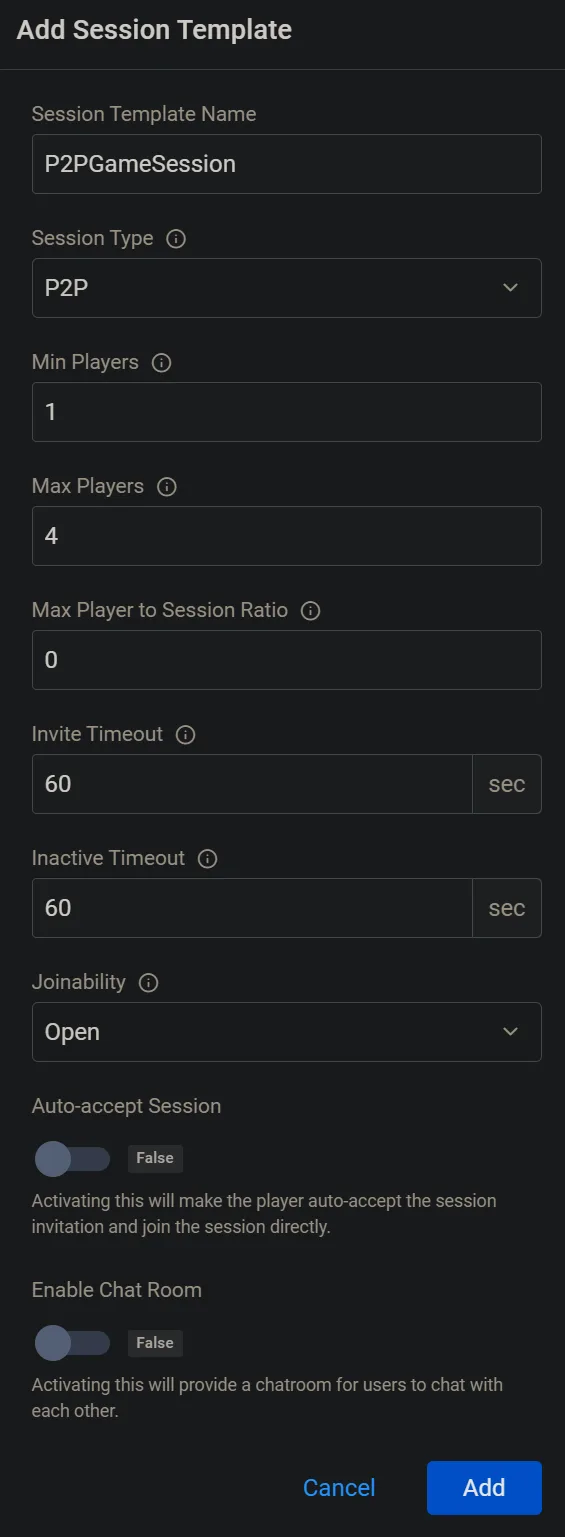
Follow the steps in Configure session templates to create a Session V2 game session template.
When creating the template, set Session Type to P2P.
-
Create a JSON file with the template's settings. Any file name works. This example uses
p2p-template.json:{
"name": "<YourTemplateName>",
"type": "P2P",
"joinability": "INVITE_ONLY",
"minPlayers": 2,
"maxPlayers": 4,
"inviteTimeout": 60,
"inactiveTimeout": 60,
"partyCodeLength": 4
}name: replace<YourTemplateName>with a unique name for the template.type: keepP2P. This is the Session Type in the Admin Portal.joinability: one ofOPEN,CLOSED,INVITE_ONLY,FRIENDS_OF_MEMBERS,FRIENDS_OF_LEADER, orFRIENDS_OF_FRIENDS.minPlayersandmaxPlayers: the player limits for the session.inviteTimeoutandinactiveTimeout: timeouts in seconds.60is the Admin Portal default.partyCodeLength: the length of the generated join code. The Admin Portal sends4. If you leave this field out, AGS uses6.
For the other settings in Create, configure, and edit session templates, run
ags session templates create --skeletonto see every field. -
Create the template. Replace
<YourNamespace>with your game namespace:ags session templates create --namespace <YourNamespace> --json @p2p-template.json
Expected result: the session template appears in the Session templates list and can be selected by a match pool.
How P2P Host Selection Works
After Matchmaking creates a game session from the P2P session template:
- Lobby sends a game session invitation to each matched member.
- Each member joins the game session.
- The first member that joins becomes the game session leader and P2P host.
- Other members read the game session leader ID and start as clients targeting that host.
- The networking library performs signaling through Lobby, ICE candidate exchange, STUN checks, and TURN relay fallback when a direct connection is not available.
The game session leader is the host for the P2P session. If your game needs host migration or recovery when the host leaves during gameplay, design that behavior in your game layer and test it explicitly.
Continue Setup
After creating the P2P session template:
- Configure your match ruleset.
- Configure your match pool and select the P2P session template.
- Set up P2P transport for your engine:
- Follow the shared Matchmaking game-code guide: