View fulfillment log history
Overview
The AccelByte Gaming Services (AGS) Fulfillment service is used to grant entitlements to players that they have purchased or otherwise earned. This service works with other AGS Commerce services to distribute items to your players.
This article walks you through how to view the fulfillment log history of your publisher and game namespaces in the Admin Portal or with the AGS CLI.
Prerequisite
- Access to your publisher and game namespaces on the AGS Admin Portal.
- To follow the AGS CLI steps, you have installed the AGS CLI and signed in. See Install and sign in.
View fulfillment log history
You can view a fulfillment log to see if that fulfillment was successful.
- Admin Portal
- AGS CLI
You can open a fulfillment log in the Admin Portal to see if that fulfillment was successful.
-
In the Admin Portal, go to the namespace with the fulfillment log history you want to view.
noteChoose the publisher namespace to see all of the fulfillment logs from all the game namespaces under it. Choose a game namespace to see the fulfillment logs from that namespace only.
-
On the sidebar, go to Commerce > Fulfillments.
-
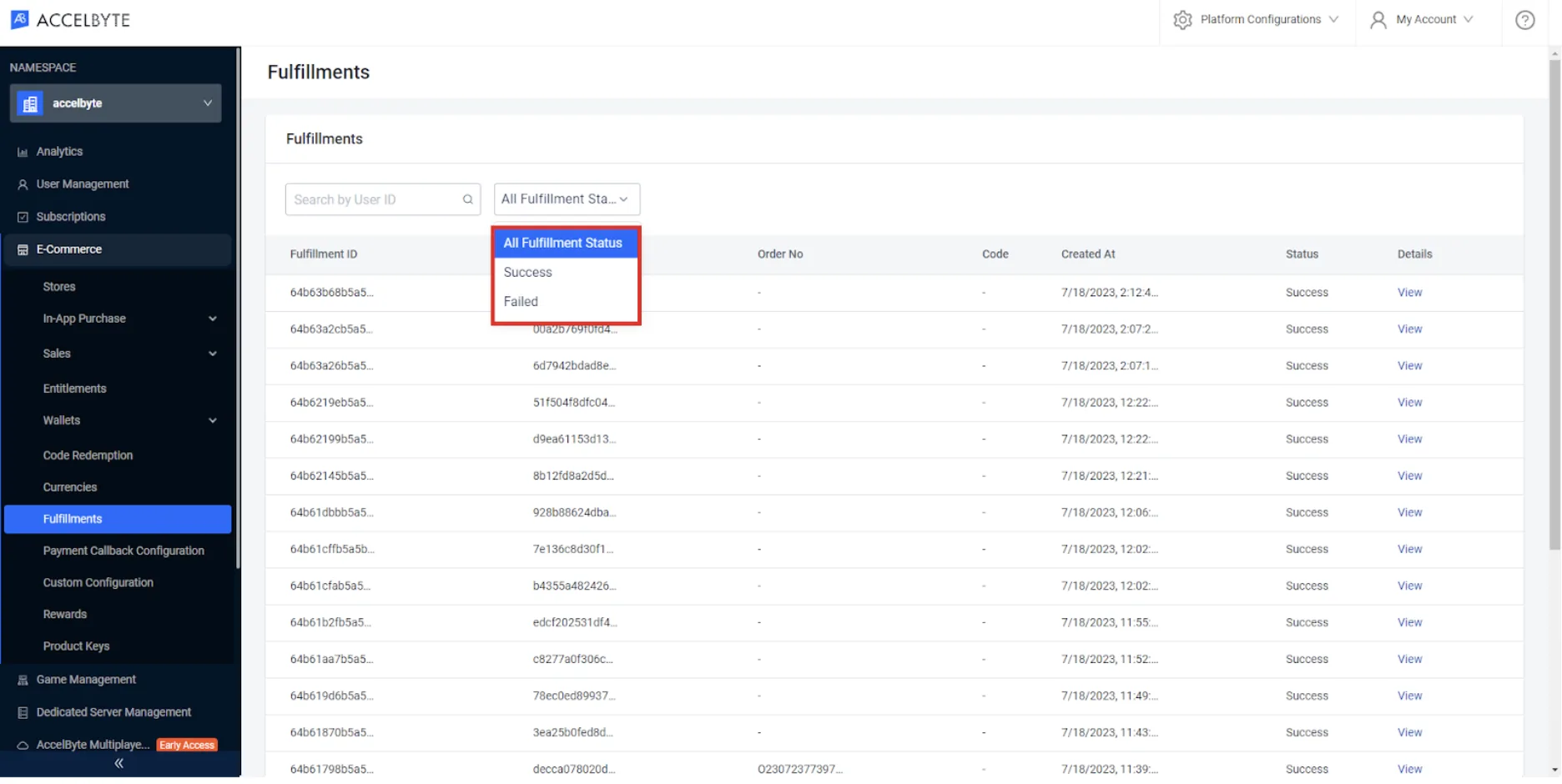
On the Fulfillment Logs page, you can see a list of all of the fulfillment logs. You can filter the fulfillment logs by Fulfillment Status, either Success or Failed. You can also search for a particular log using the player's User ID.
-
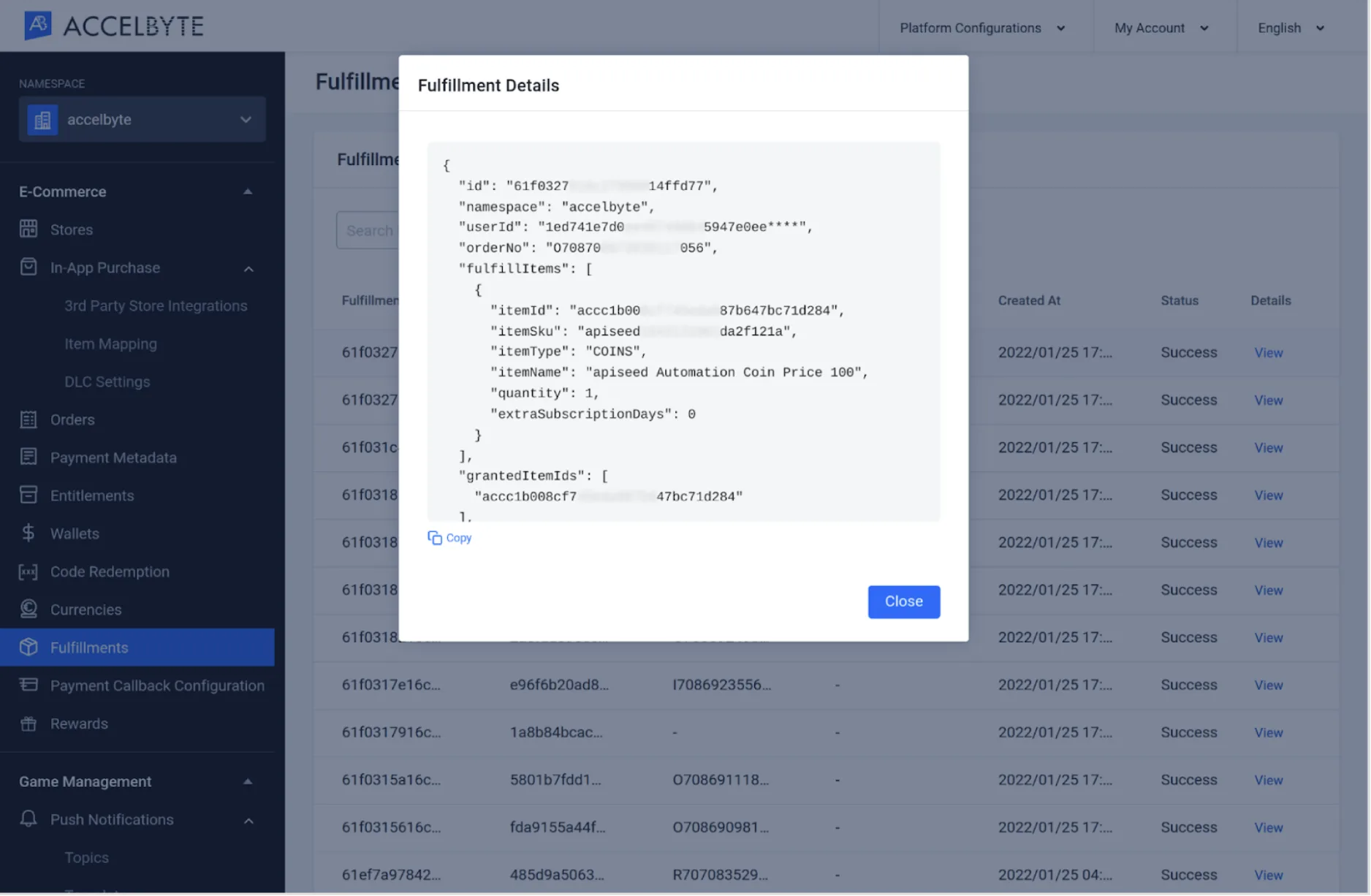
To view the details of a log, click on its View option.
A pop-up box appears, showing fulfillment details.
-
Run the following command with the ID of the player whose fulfillment logs you want to see. Use the game namespace, or the publisher namespace to see the logs from all the game namespaces under it:
ags platform fulfillments get-history --namespace <YourNamespace> --user-id <UserId>Each log in the output shows its
status, eitherSUCCESSorFAIL. -
To see only the failed fulfillments, filter by status. Use
SUCCESSto see only the successful ones:ags platform fulfillments get-history --namespace <YourNamespace> --user-id <UserId> --status FAIL -
The command returns 20 logs by default. To get the next page, add
--offsetand--limit:ags platform fulfillments get-history --namespace <YourNamespace> --user-id <UserId> --offset 20 --limit 20