Overview - Dedicated servers with AccelByte Multiplayer Servers (AMS) - (Unreal Engine module)
Introduction
In this Byte Wars for Unreal Engine module, you will set up a dedicated server and upload it to AccelByte Multiplayer Servers (AMS). This server will be claimed by the game session produced by matchmaking or requested by players via custom game.
Prerequisites
To complete this module, you will need:
-
To have completed the following module:
-
The Byte Wars
tutorialmodulesbranch checked out in your local Byte Wars Unreal project repository. -
The Cross-Compile Toolchain downloaded and installed to your project to build it as a Linux server (more info at Development Requirements).
-
To have force enabled this module. You can do this by adding the following code to the
Config/DefaultEngine.inifile:[AccelByteTutorialModules]
+ForcedEnabledModules=TutorialModule:MULTIPLAYERDSESSENTIALS
...
Learning objectives
By following this module, you will learn how to:
- Set up a dedicated server that works with AMS.
- Upload a dedicated server to AMS that will be spawned as cloud dedicated servers.
Preview
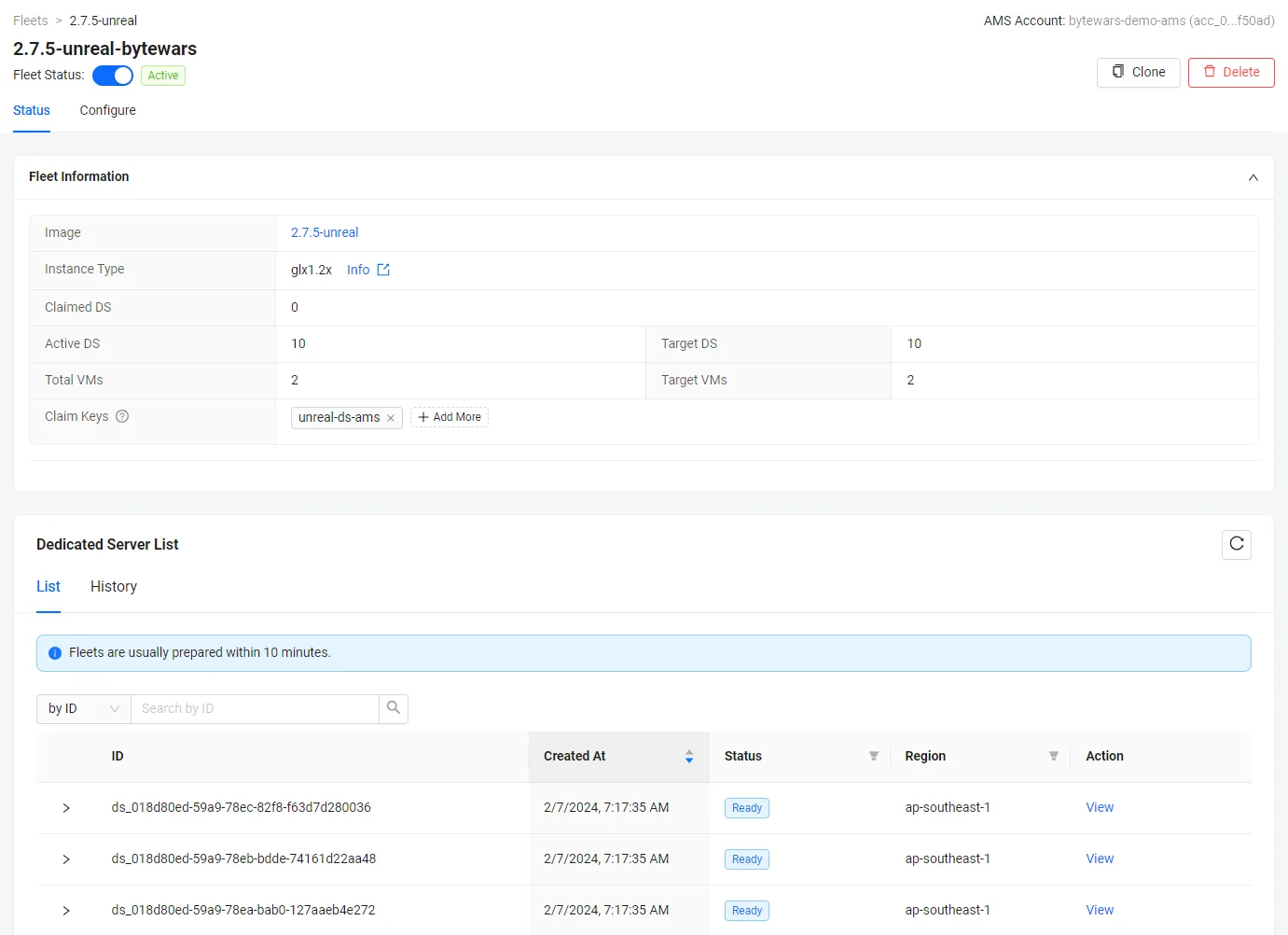
At the end of this module, your project will look like the image below.
-
Cloud dedicated server running on AMS: