Group and filter achievements
Overview
The AccelByte Gaming Services (AGS) Achievements services allows you to add tags to your achievement configurations. Tags will be used to group the achievements, and you can use that to filter the achievements you want to display within your game. By presenting the achievement in a structured and organized grouping, it can give your players the best experience, as they'll easily see the relevant information.
In this guide, you will learn how to utilize achievement tags for grouping and filtering.
Goals
- Provide an understanding and overview about achievement configurations.
- Explain how to utilize achievement using AccelByte SDK.
Prerequisites
- Access to the AGS Admin Portal.
- AccelByte Unreal, Unity or Extend SDK, including the permissions:
- Client ID
- Client Secret
- Access to AccelByte Achievement API documentation.
- Access to the AccelByte Statistics API to configure the required information (optional).
- To follow the AGS CLI steps, you must have installed the AGS CLI and signed in with an account that has access to these features. See Install and sign in. The examples use a Bash shell.
Group achievements by tags
You can utilize tags in achievement configurations to group your achievements. You can add tags in your achievement configurations in the AGS Admin Portal or with the AGS CLI by following the steps below:
- Admin Portal
- AGS CLI
-
On the Admin Portal sidebar, go to Online > Achievements > Configuration.
-
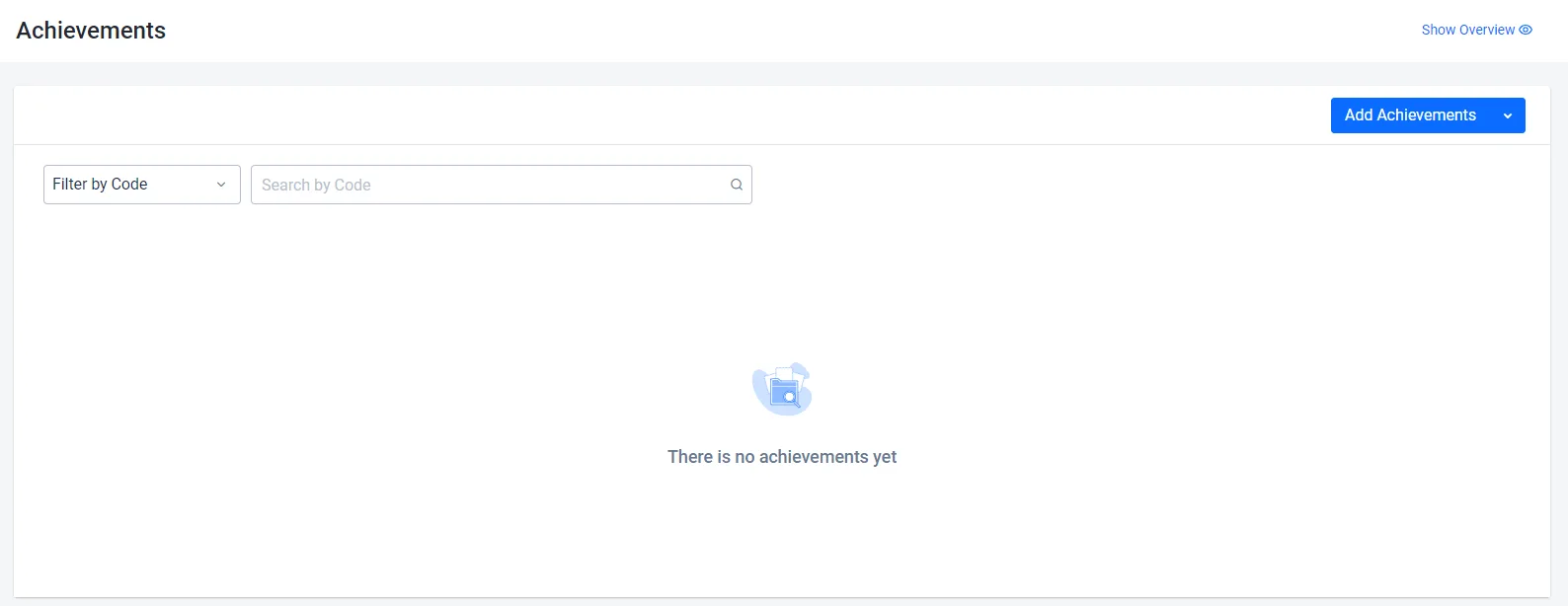
On the Achievements page, click on the Add Achievement button.
-
On the Add New Achievements form, fill in the required information such as Code, Name, Description, and Icons.
-
For grouping, you can add the contextual information related to the achievement in the Tag field. These tags will be used to query your achievement configuration.
 info
infoYou can add up to five tags.
-
Click Add. The new achievement is added to the achievements list.
-
Create a JSON file with the achievement's settings and its tags. Any file name works. This example uses
achievement.json:{
"achievementCode": "<AchievementCode>",
"defaultLanguage": "en",
"name": { "en": "<AchievementName>" },
"description": { "en": "<AchievementDescription>" },
"hidden": false,
"incremental": false,
"lockedIcons": [{ "slug": "<LockedIconName>", "url": "<LockedIconUrl>" }],
"unlockedIcons": [{ "slug": "<UnlockedIconName>", "url": "<UnlockedIconUrl>" }],
"tags": ["<Tag1>", "<Tag2>"]
}achievementCode,name, anddescription: the Code, Name, and Description.nameanddescriptiontake one text per language, anddefaultLanguagemust be one of those languages.lockedIconsandunlockedIcons: the Locked Icon and Unlocked Icon. The Admin Portal uploads the image for you. With the AGS CLI, seturlto the address of an image that is already hosted, andslugto a name for the icon.tags: the Tag values, up to five. A tag can contain only letters, numbers, and underscores.
To make the achievement incremental or global, see Configure progressive achievements and Configuring global achievements.
-
Create the achievement. After
@, pass the path to your JSON file:ags achievement achievements create --namespace <YourNamespace> --json @achievement.jsonThe command prints the new achievement.
Filter achievements by tags
To retrieve a list of all achievements in the related namespace with a specific tags that you already set, you can use the following function:
- Unreal Engine
- Unity
- C# Extend SDK
- Go Extend SDK
- Java Extend SDK
- Python Extend SDK
FString Language = FString("en");
EAccelByteAchievementListSortBy SortBy = EAccelByteAchievementListSortBy::LISTORDER;
int32 Offset = 0;
int32 Limit = 50;
FString TagQuery = TEXT("kill,totalwin")
bool bIsGlobal = false;


auto ApiClient = AccelByteOnlineSubsystemPtr->GetApiClient();
auto AchievementApi = ApiClient->GetAchievementApi().Pin();
AchievementApi->QueryAchievements(Language, SortBy, THandler<FAccelByteModelsPaginatedPublicAchievement>::CreateLambda([](const FAccelByteModelsPaginatedPublicAchievement& Result)
{
	// Do something if QueryAchievements is successful
}), FErrorHandler::CreateLambda([](int32 ErrorCode, const FString& ErrorMessage)
{
	// Do something if QueryAchievements has an error
}), Offset, Limit, TagQuery, bIsGlobal);
var achievement = AccelByteSDK.GetClientRegistry().GetApi().GetAchievement();

var language = "EN";
// tag1|tag2
var tagBuilder = TagQueryBuilder.Start("tag1");
tagBuilder.Or("tag2");

achievement.Query(language, AchievementSortBy.NONE, result =>
{
    // Do something
}, tagBuilder: tagBuilder);
string language = "en";
string[] tags = new[] { "kill", "totalwin" };

var response = sdk.Achievement.Achievements.PublicListAchievementsOp
    .SetOffset(0)
    .SetLimit(50)
    .SetSortBy(PublicListAchievementsSortBy.ListOrder)
    .SetTags(new List<string>(tags))
    .Execute(sdk.Namespace, language);
if (response != null)
{
    //do something when success
}
achievementsService := &achievement.AchievementsService{
    Client:          factory.NewAchievementClient(&repository.ConfigRepositoryImpl{}),
    TokenRepository: &repository.TokenRepositoryImpl{},
}
namespace := "mygame"
language := "en"
limit := int64(50)
offset := int64(0)
sortBy := achievements.AdminListAchievementsListOrderConstant
tags := []string{"kill","totalwin"}
input := &achievements.PublicListAchievementsParams{
    Namespace: namespace,
    Limit:     &limit,
    Offset:    &offset,
    SortBy:    &sortBy,
    Language:  language,
    Tags: tags,
}
result, err := achievementsService.PublicListAchievementsShort(input)
final Achievements achievementsWrapper = new Achievements(sdk);

String language = "en";
List<String> tags = Arrays.asList("kill","totalwin");
ModelsPublicAchievementsResponse response;
try {
    response = achievementsWrapper.publicListAchievements(PublicListAchievements.builder()
        .namespace("<namespace>")
        .language(language)
        .offset(0)
        .limit(50)
        .sortBy(PublicListAchievements.SortBy.ListOrder.toString())
        .tags(tags)
        .build());
} catch (Exception e) {
    // Do something when failed
    return;
}

if (response == null) {
    // Null response from server
} else {
    // Do something when success
}
import accelbyte_py_sdk.api.achievement as achievement_service
import accelbyte_py_sdk.api.achievement.models as achievement_models

result, error = achievement_service.public_list_achievements(
    limit=50,
    offset=0,
    sort_by="listOrder",
    tags="kill|totalwin",
    language="en",
    namespace=namespace,  # optional, gets the value from the global instance if unspecified
    sdk=sdk,  # optional, gets the global instance  if unspecified
)
if error:
    exit(error)