Request a security assessment
Overview
A security assessment checks your Extend Service Extension app's endpoints for security issues before you roll it out further. Extend Security Assessment is AI-powered — it analyzes your API, generates test cases, and executes them against your running app. AccelByte's security team reviews the results, and you download a findings report when it's done.
Selected endpoints that accept PATCH, PUT, or DELETE requests may have test cases run against them that modify or delete real, existing data. Review your endpoint selection carefully, and avoid running an assessment against an app connected to production data you can't afford to lose.
Who can use this
- You need the Game Admin role in the game namespace that owns the Extend App.
- Your studio needs an active Extend package subscription.
- The Extend App you want assessed must be a Service Extension app, and it must be running at the time you submit the request. A stopped app, or an app that already has a security assessment session in progress, can't be selected.
While a security assessment session is active, its target app cannot be stopped or redeployed until the session reaches Completed or Failed. Plan your assessment windows around your deployment schedule.
Request a security assessment via the Admin Portal
-
Go to Extend > Security Assessment, then click Request Security Assessment.
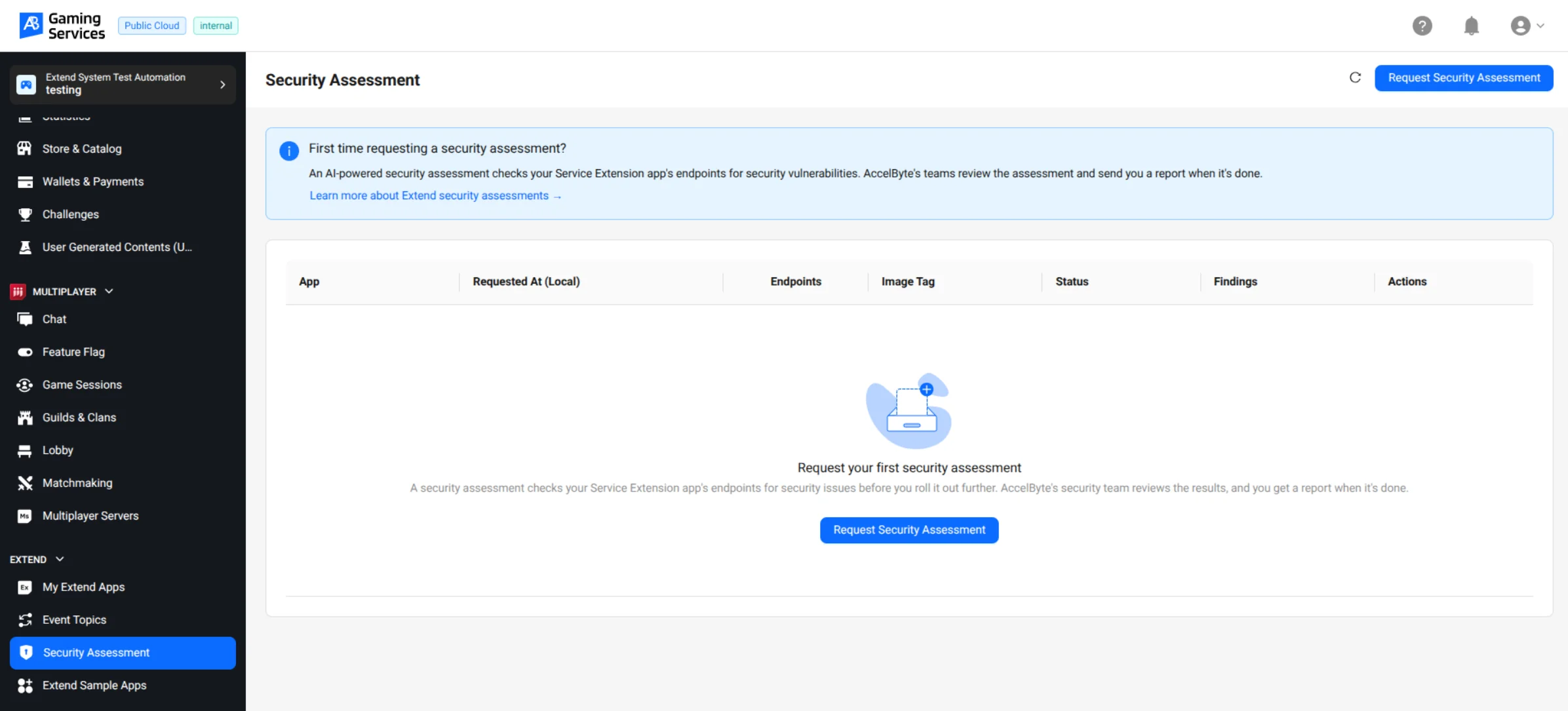
-
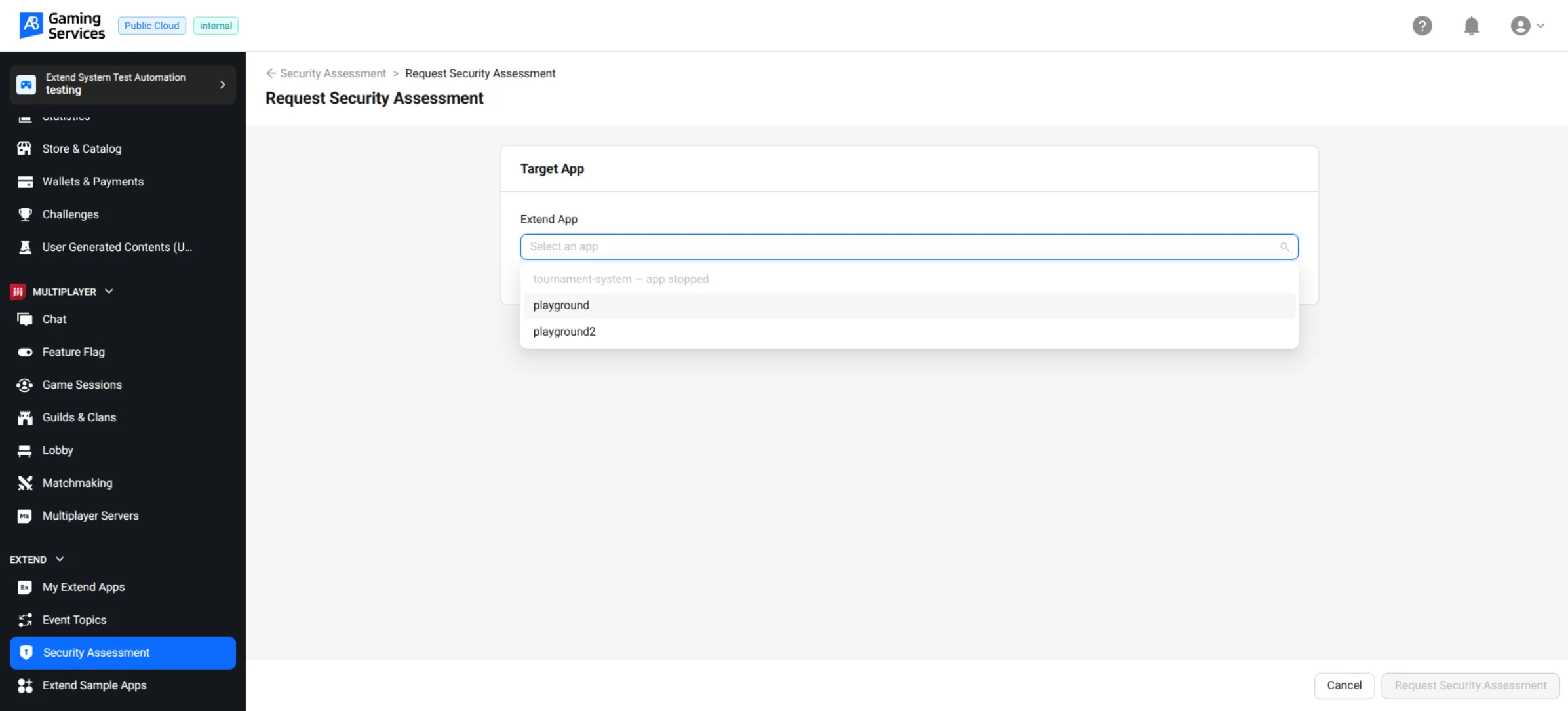
Select the Extend Service Extension app you want to assess.
Only currently running apps appear as selectable. An app that's stopped, or that already has a security assessment session in progress, is listed but can't be selected.
-
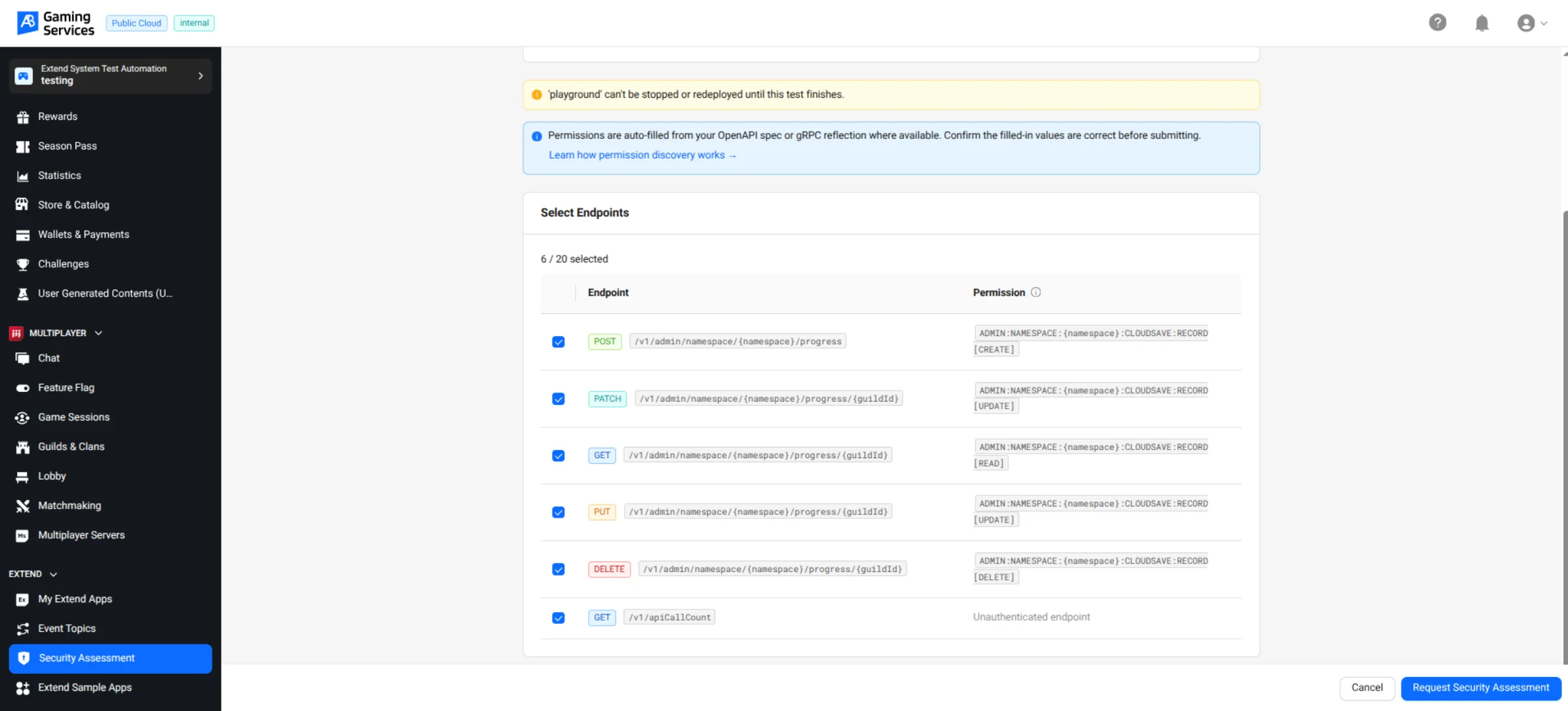
Select the endpoints to test.
Permissions are auto-filled from your app's OpenAPI spec or gRPC reflection where available — see Prepare your endpoints for a security assessment. Confirm the filled-in values are correct before submitting. If an endpoint's permission couldn't be discovered automatically, enter it yourself in this form.
-
Click Request Security Assessment.
If any selected endpoint accepts
PATCH,PUT, orDELETErequests, a confirmation dialog lists them and warns that the assessment may generate test cases that modify or delete existing data through them. Review the list, then click Proceed with request to submit.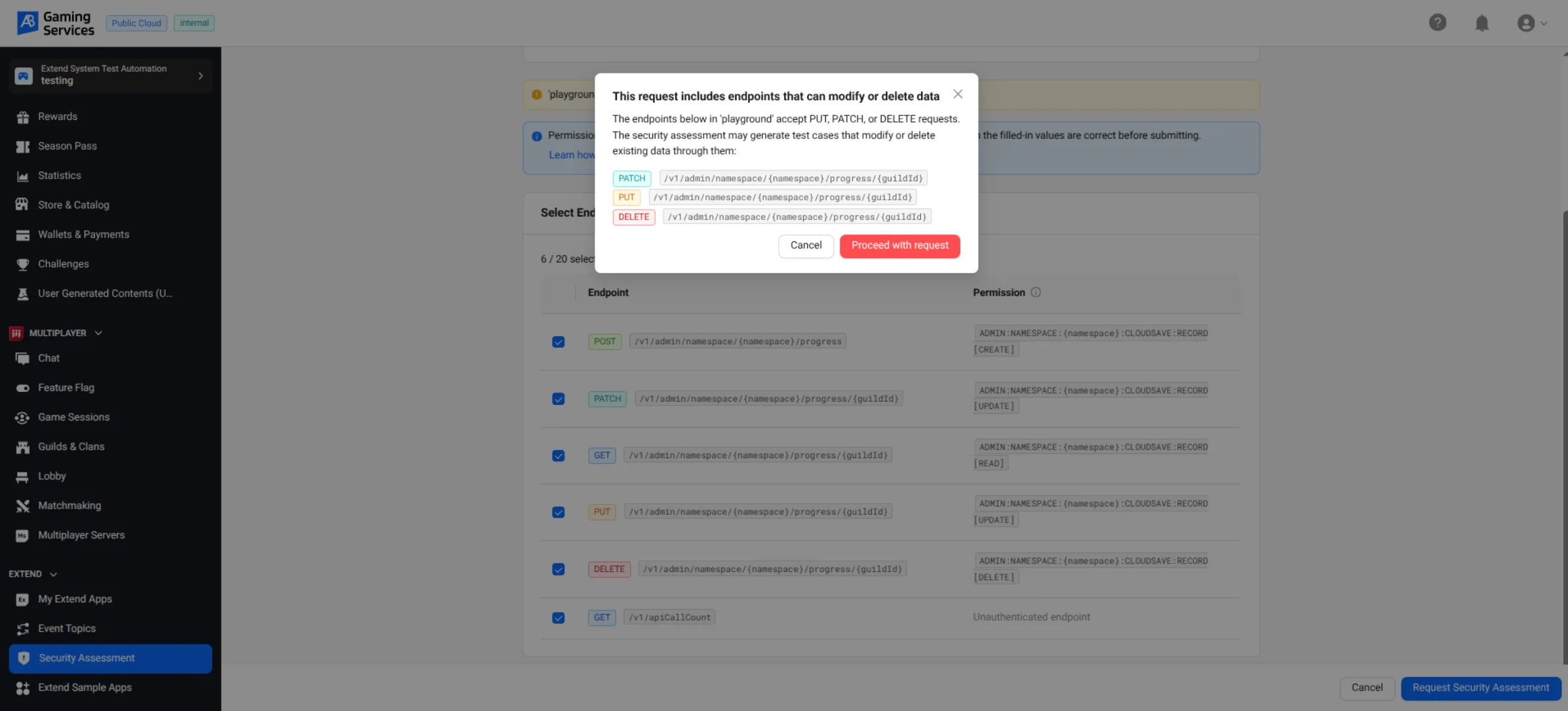
-
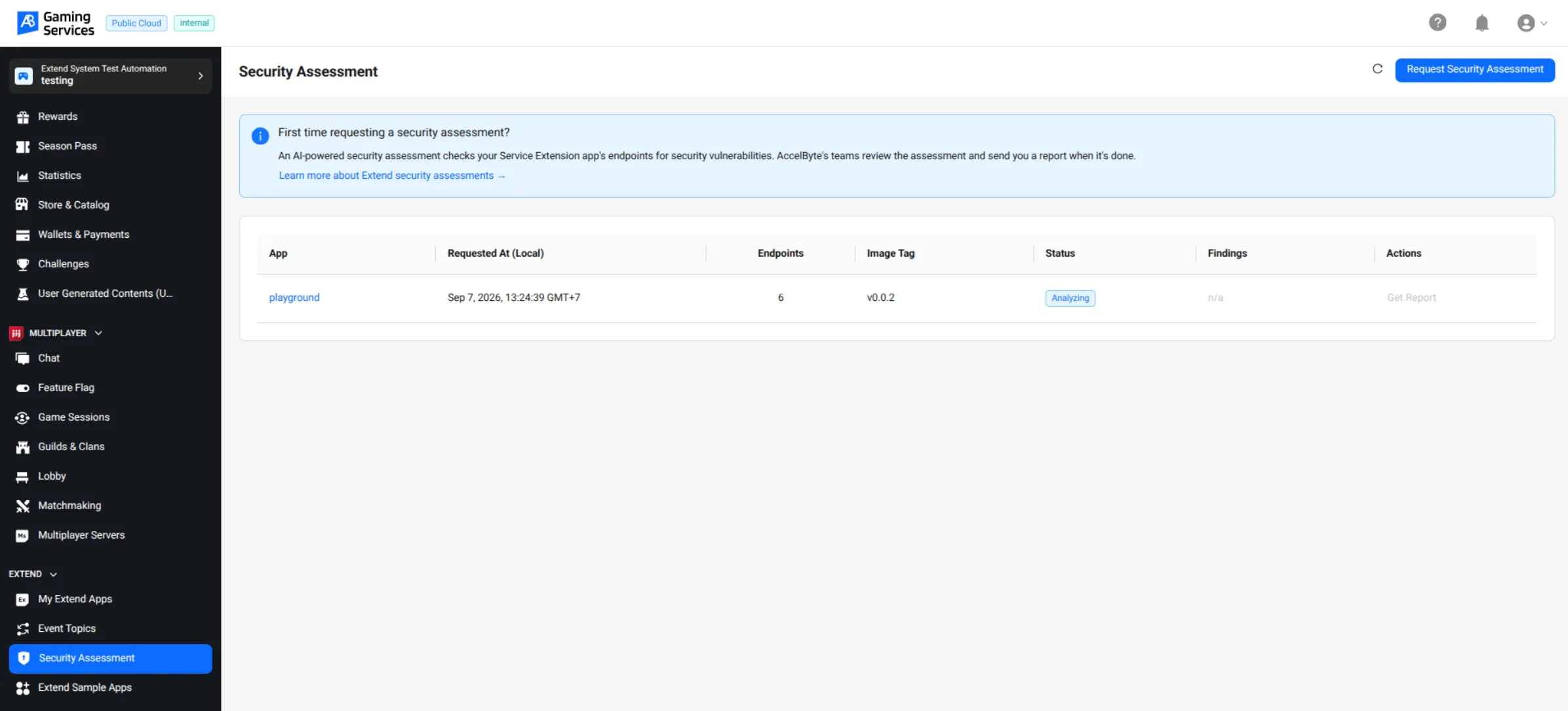
You're returned to the Security Assessment list, where the new session appears with an Analyzing status while Extend Security Assessment generates and runs test cases against your app.
-
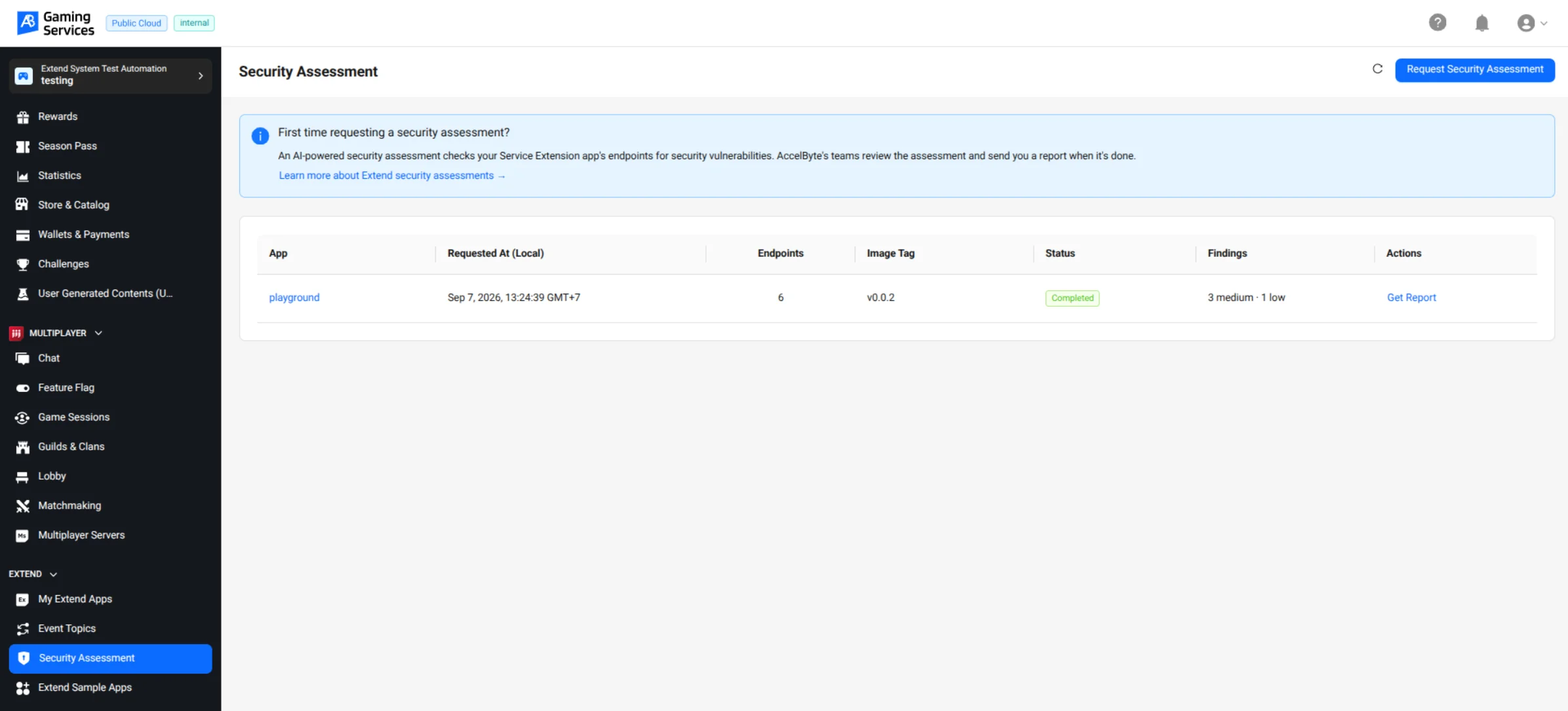
Once the session status changes to Completed, the Findings column summarizes the results by severity. Click Get Report to download the full findings report.
Each finding in the report lists its severity, CVSS score, and the affected endpoint.
Request a security assessment via the AGS CLI
Security assessment sessions are managed through the ags extend security-assessment command group. The workflow mirrors the Admin Portal: you select a running Service Extension app and its endpoints, submit the request, and download the report once the session completes.
Prerequisites
Install and authenticate the AGS CLI against your AGS environment before running the commands below.
Request a security assessment
Submits a new security assessment session for one of your Extend apps.
ags extend security-assessment request --app <YourAppName> [--all-endpoints | --operation-ids <id1,id2,...>] [--permission <operationId>=<PERMISSION_STRING>] [--namespace <YourNamespace>] [--yes] [--dry-run]
- Without
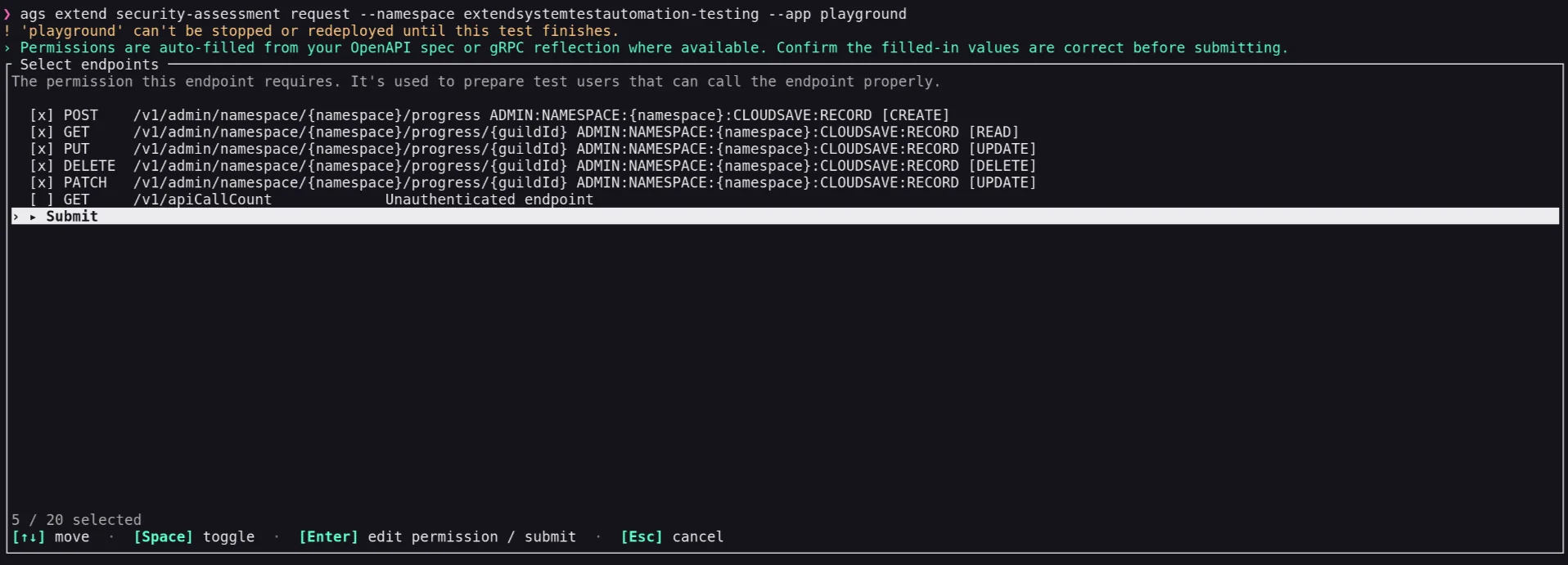
--all-endpointsor--operation-ids, the command prompts an interactive checklist of endpoints, the same set shown in the Admin Portal's request form. - Run
ags extend security-assessment list-endpoints --namespace <GameNamespace> --app <YourAppName>to inspect which endpoints are available on the app, so you know which operation IDs to pass to--operation-ids. - Use one or more
--permissionflags to manually set a permission for an endpoint whose permission couldn't be auto-discovered — see Prepare your endpoints for a security assessment.<PERMISSION_STRING>follows theRESOURCE [ACTION]format and contains a space, so quote the wholeoperationId=valuepair. - If any selected endpoint accepts
PUT,PATCH, orDELETErequests, the CLI prints the same warning as the Admin Portal's confirmation dialog and asks you to confirm before submitting. Pass--yesto skip the interactive confirmation, or--dry-runto preview the request without submitting it.
For example, to submit only specific endpoints and manually set one endpoint's permission:
ags extend security-assessment request --app playground --operation-ids createProgress \
  --permission 'createProgress=ADMIN:NAMESPACE:{namespace}:CLOUDSAVE:RECORD [CREATE]'
Example: Running the command without --all-endpoints or --operation-ids prompts an interactive checklist of endpoints:
After you submit your selection, the CLI warns about any endpoint that can modify or delete data, asks you to confirm, and reports the created session:

List security assessment sessions
Lists the security assessment sessions submitted for your namespace, along with their current status.
ags extend security-assessment list --namespace <YourNamespace> [flags]
Example:

| Status | Meaning |
|---|---|
SUBMITTED | Request accepted; queued for analysis |
ANALYZING | Your API is being analyzed and test cases are being generated |
TESTING | Test cases are being executed against your app |
IN_REVIEW | Findings are being reviewed by AccelByte's security team |
COMPLETED | Report is ready to download |
FAILED | The session failed (for example, the app was stopped mid-assessment) |
Download a report
Downloads the findings report for a selected, completed security assessment session.
ags extend security-assessment result --app <YourAppName> [--engagement-id <id>] [--report-format <format>] [--report-output <path>]
Pass --engagement-id to download a specific session's report directly; otherwise the command prompts you to pick one from your completed sessions. Use --report-format to choose the downloaded file's format, or omit it to use the default. The download link expires after 1 hour.
Constraints to plan around
- One active session per app. You can't start a new security assessment for an app that already has a non-terminal session.
- App must stay running and untouched. Stopping or redeploying the app while a session is active is blocked; plan your assessment windows around your deployment schedule.
- Endpoint cap per request. A session can include at most 20 endpoints. The current limit is always shown while you review your app's endpoints, so you don't need to guess it. Contact your AccelByte representative if you need this raised.
- Billing. Pricing is a flat rate per completed security assessment session, per Extend App, regardless of how many endpoints were included.
Troubleshooting
Reviewing my app's endpoints fails outright.
Your app's OpenAPI spec isn't reachable. Confirm <YourServiceURL>/apidocs/api.json (or wherever your spec is served) returns a 200 from outside your app, and that the app is running.
An endpoint shows no permission, but I expected one. Check whether an OpenAPI spec and gRPC reflection were both successfully reached for your app. If they were, and the endpoint still shows no permission, Extend Security Assessment found no permission declared through either source and is treating it as intentionally unauthenticated. Double-check your proto/OpenAPI annotations for that operation if that's not actually the case.
I have no gRPC reflection and can't add x-required-permission right now.
Use the manual permission override for just that endpoint when submitting your request. Extend Security Assessment only checks that the value is a well-formed, namespace-scoped permission — it can't check it against what your app actually enforces, so an incorrect resource/action string will skew what gets tested on that endpoint.
My request is rejected because a session is already in progress. A session for that app is already active. Check the session list for the app's current status before retrying.