Extend Task Scheduler
注釈:本資料はAI技術を用いて翻訳されています。
概要
Extend Task Schedulerを使用すると、Extendアプリ内でカスタムロジックを持つタスクを定義し、スケジュールされた時刻に実行できます。cronに既に慣れている場合は、Extend Task Schedulerでのタスク実行のスケジューリングも簡単に理解できるでしょう。
Extend Task Schedulerは、Extend Service Extensionアプリでのみ利用できます。
Extend Service Extensionアプリにカスタムロジックを含むタスクを作成する
- Go
-
Extendアプリのプロジェクトで、
pkg/proto/generic/task_scheduler/v1フォルダを作成し、task_scheduler.protoをそこに配置します。 -
make protoを実行して、task_scheduler.protoからコンシューマークライアントコードを生成します。 -
OnJobTriggeredハンドラーにカスタムロジックを実装します。package service
import (
"io"
"github.com/sirupsen/logrus"
"google.golang.org/grpc"
ts "extend-custom-task-service/pkg/pb/generic/task_scheduler/v1"
)
type TaskSchedulerServiceImpl struct {
ts.UnimplementedTaskSchedulerServiceServer
myService *MyServiceServerImpl
}
func NewTaskSchedulerService(myService *MyServiceServerImpl) *TaskSchedulerServiceImpl {
return &TaskSchedulerServiceImpl{
myService: myService,
}
}
func (s *TaskSchedulerServiceImpl) OnJobTriggered(
stream grpc.BidiStreamingServer[ts.ExecutionContext, ts.Response],
) error {
for {
// Receive ExecutionContext from the stream
execCtx, err := stream.Recv()
if err == io.EOF {
// Client closed the stream
return nil
}
if err != nil {
logrus.Errorf("Error receiving ExecutionContext: %v", err)
return err
}
// Handle different message types
switch execCtx.MessageType {
case ts.MessageType_TASK_START:
// Increment task execution count when a task starts
s.myService.IncrementTaskExecutionCount()
logrus.Infof("Task started with cron expression: %s", execCtx.CronExpression)
case ts.MessageType_HEART_BEAT:
// Handle heartbeat - just log it
logrus.Infof("Received heartbeat with cron expression: %s", execCtx.CronExpression)
default:
logrus.Warnf("Unknown message type: %v", execCtx.MessageType)
}
// Send a response back
response := &ts.Response{}
if err := stream.Send(response); err != nil {
logrus.Errorf("Error sending response: %v", err)
return err
}
}
} -
ハンドラーを登録します。
taskSchedulerService := service.NewTaskSchedulerService(myServiceServer)
ts.RegisterTaskSchedulerServiceServer(s, taskSchedulerService)
タスクの実行スケジュールを設定する
-
Extend Service Extensionアプリの
App DetailsページでTask Schedulerタブに移動し、Create Taskボタンをクリックします。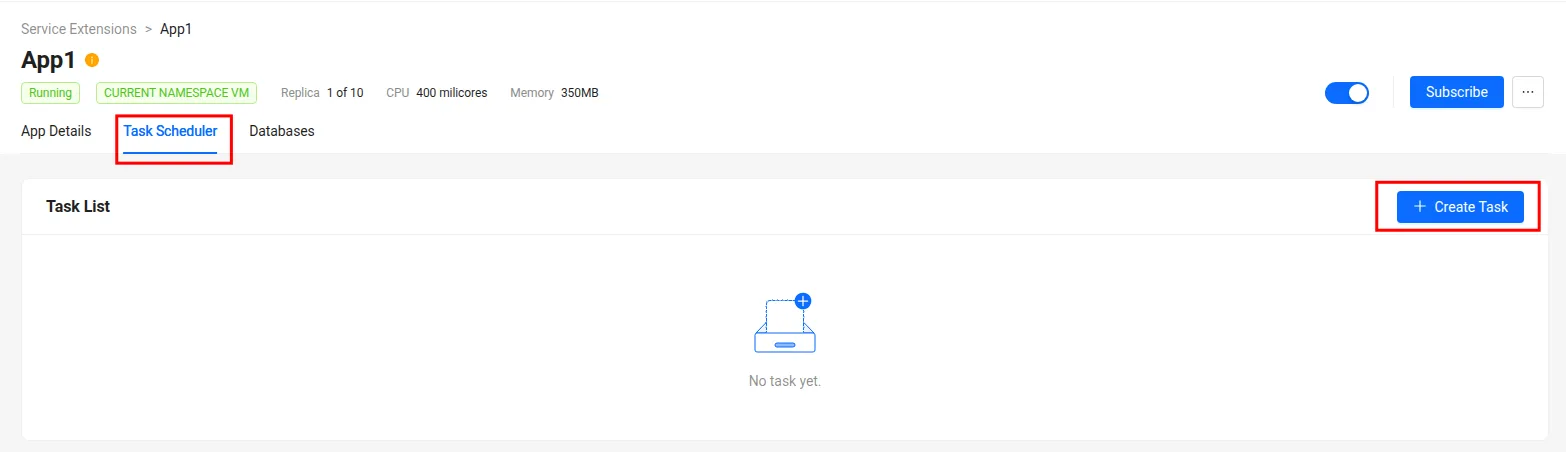
-
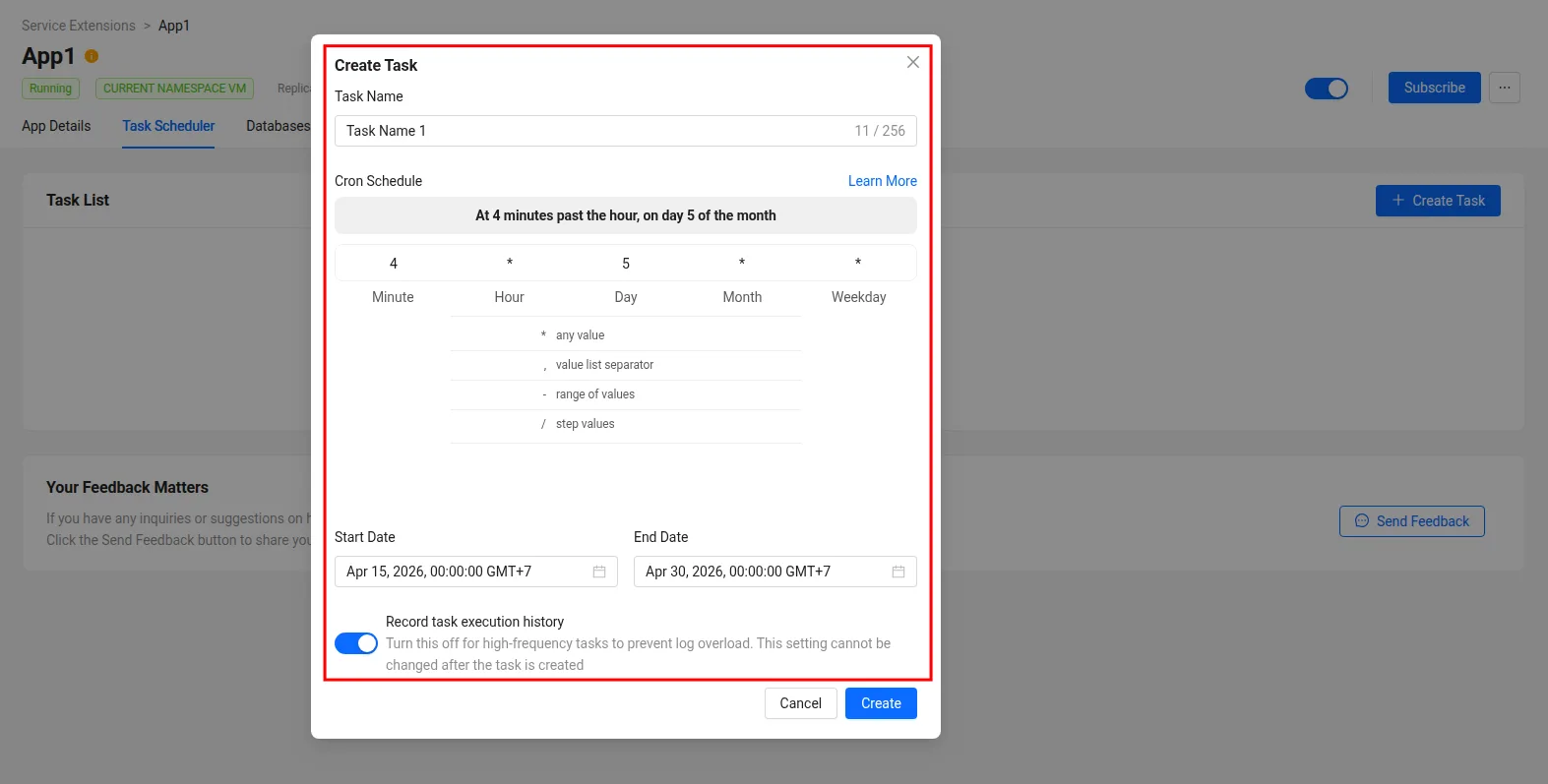
タスク名、cronスケジュール、およびタスクの開始日と終了日を入力します。タスクは、この日付範囲内である限り、指定されたcronスケジュールに従って実行されます。
-
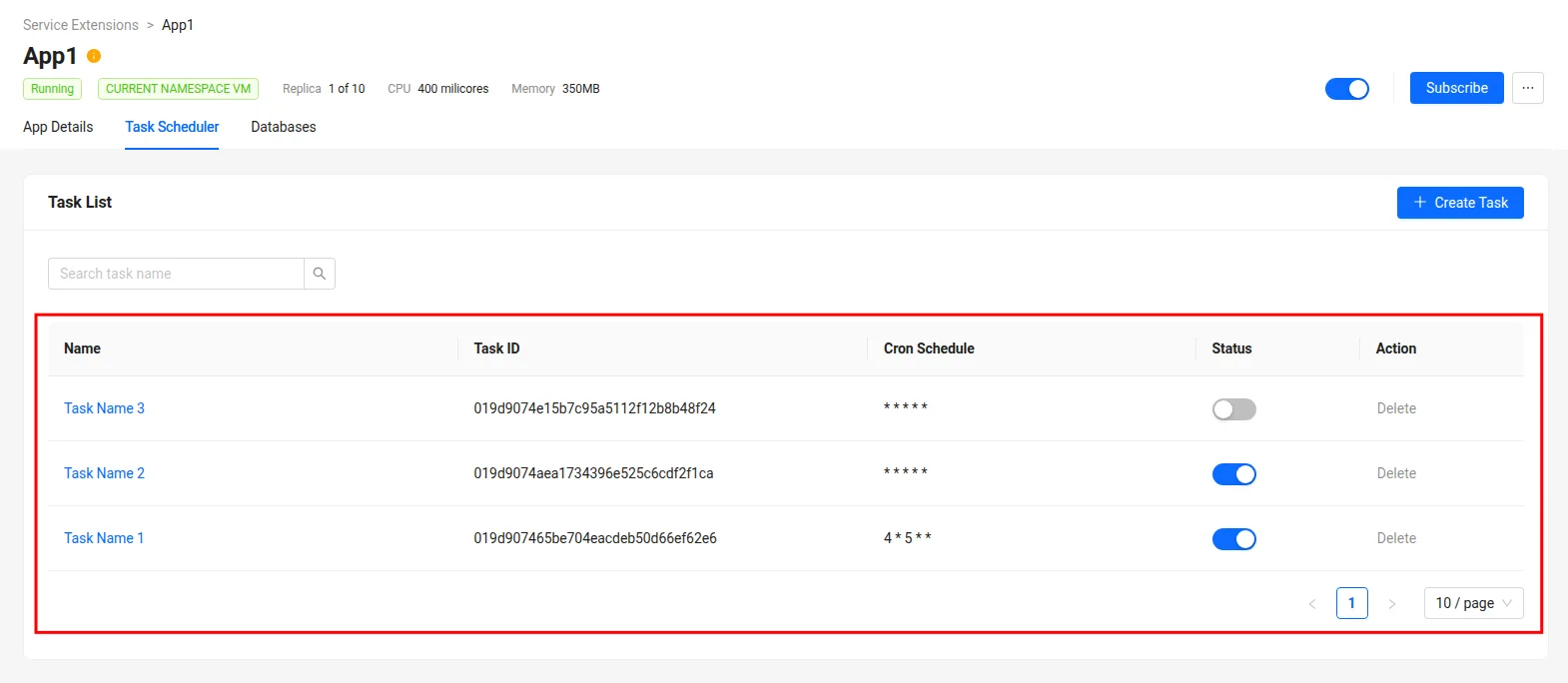
複数のタスクを作成したり、既存のタスクを一時的に無効化または削除したりすることができます。
Task Schedulerのタスクを含むExtend Service Extensionアプリが実行中であることを確認してください。実行されていない場合、警告が表示され、スケジュールされたタスクが実行されない可能性があります。

タスクの実行履歴を確認する
-
Extend Service Extensionアプリの
App DetailsページでTask Schedulerタブに移動し、確認したいタスクの名前をクリックします。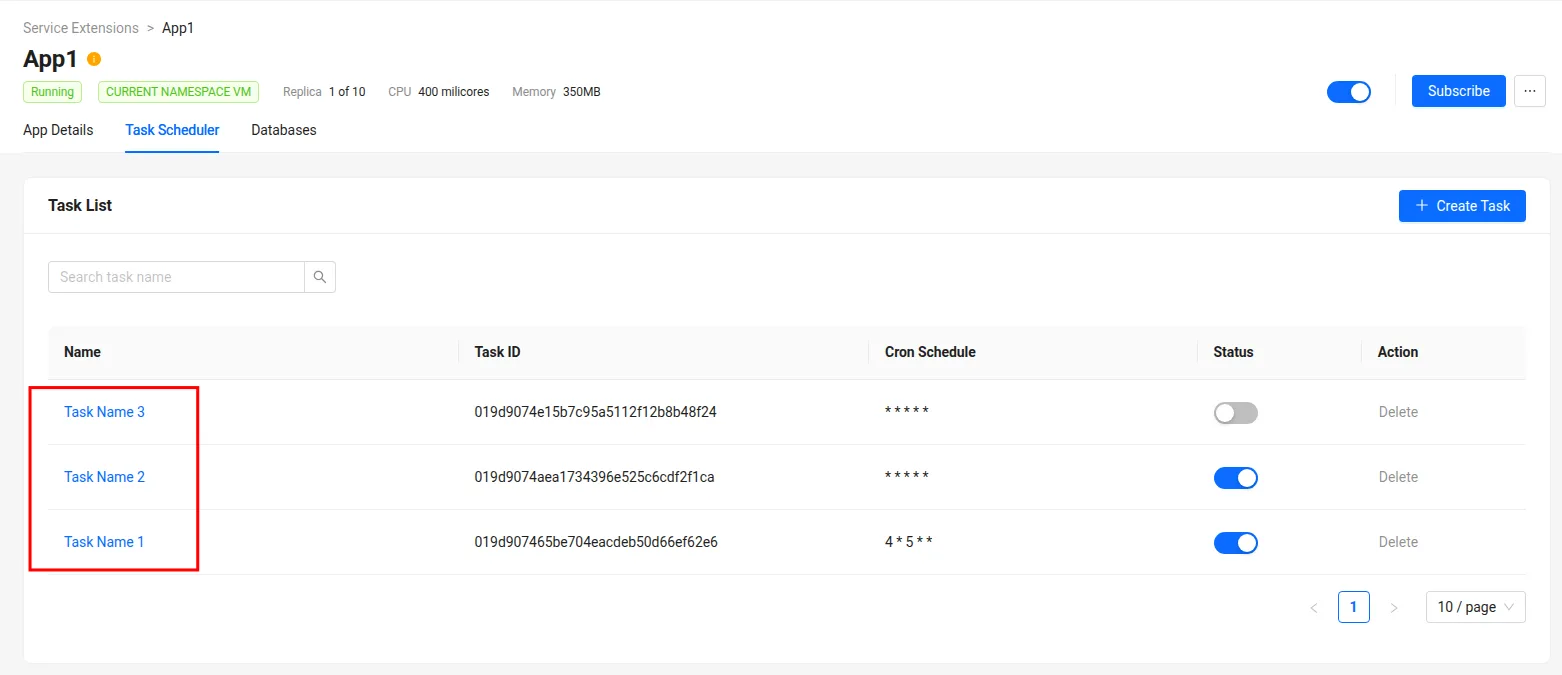
-
タスクの実行履歴、ステータス、所要時間、および関連するログを確認できます。また、
Run Task Nowボタンをクリックしていつでもタスクを手動で実行したり、Edit Taskボタンをクリックして設定を更新したりできます。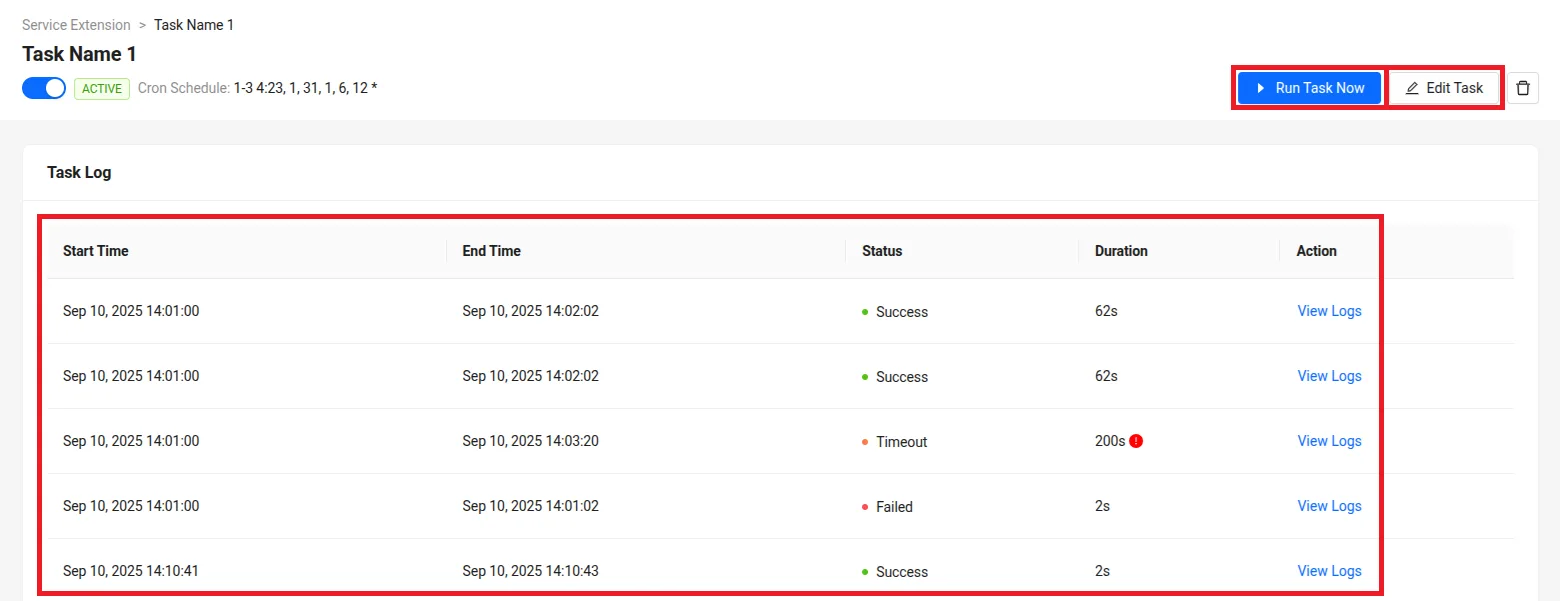
サンプル
以下のサンプルExtend Service Extensionアプリには、Extend Task Schedulerによってトリガーできるカスタムロジックを持つタスクが含まれています。
- Go
git clone https://github.com/AccelByte/extend-service-extension-with-task-scheduler-go.git