Extend非同期メッセージング
注釈:本資料はAI技術を用いて翻訳されています。
概要
Extend Asynchronous Messagingを使用すると、Extend Appはプラットフォーム全体でカスタムイベントを公開および消費できます。この機能により、異なるExtend App同士が疎結合でイベント駆動型の通信を行えます。任意のExtend Appは、データの更新やユーザーアクションなど、何らかのイベントが発生したことを通知するためにカスタムイベントを公開できます。これらのイベントは、特定のカスタムイベントをリッスンし、それに応じて適切なアクションを実行するExtend Event Handler Appによって受信および処理されます。
イベントトピックの作成と削除
-
Admin Portalで
Extendメニューを開き、Event Topicsをクリックします。
-
Create Topicをクリックして新しいトピックを追加します。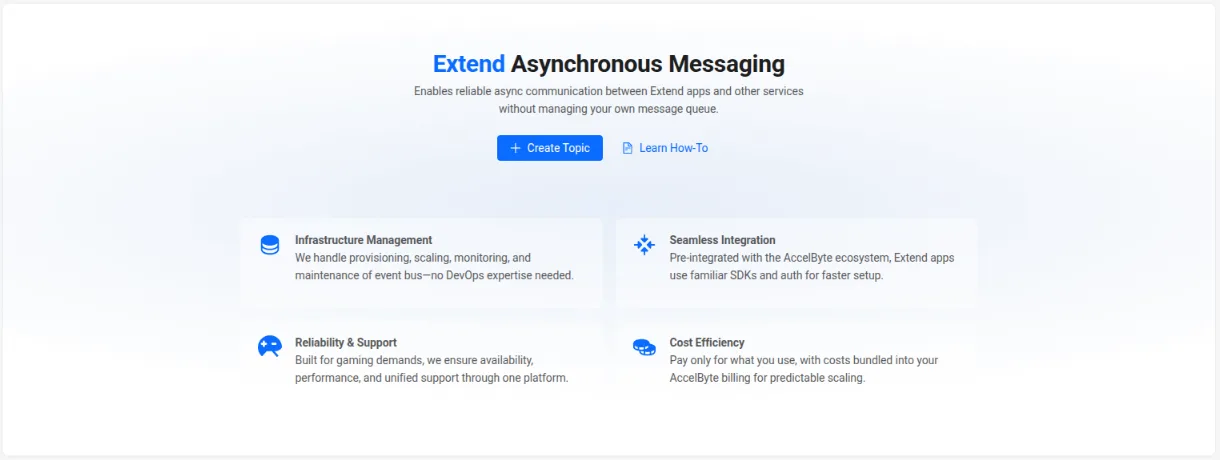
-
既存のトピックがある場合、それらは同じページに一覧表示され、ここからトピックを削除できます。

イベントトピックへのサブスクライブとサブスクライブ解除
-
Extend Event Handler Appの
App Detailsページで、Event Topicsタブを開き、Subscribe Event Topicをクリックします。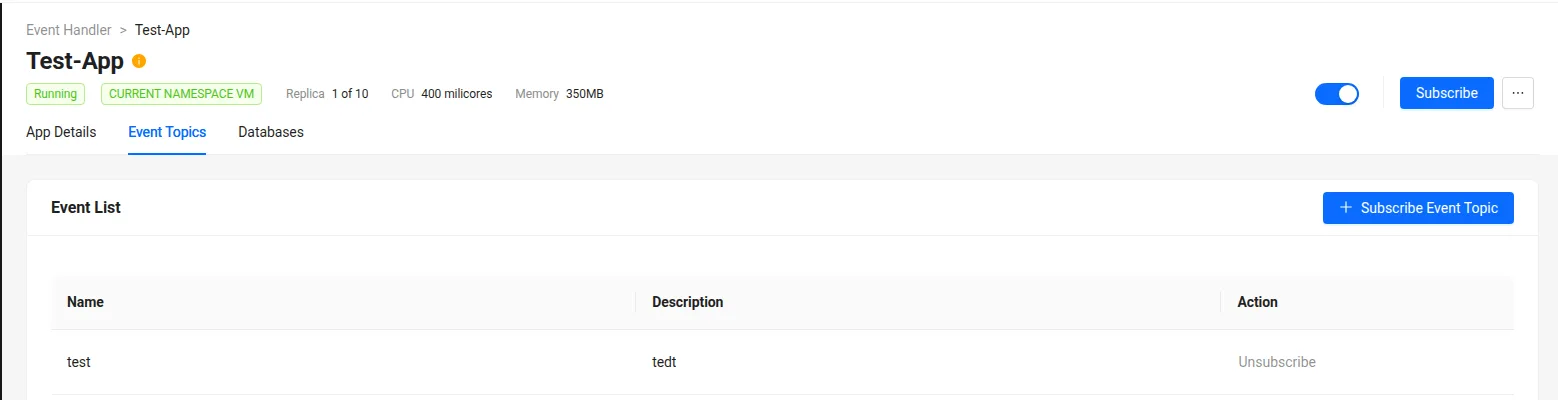
-
Subscribe Event Topicポップアップで、サブスクライブしたいイベントトピックを選択します。 注記
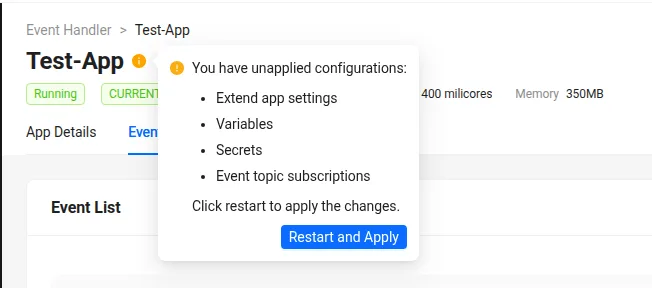
注記イベントトピックに初めてサブスクライブする場合、変更を反映させるためにExtend Event Handler Appを再起動する必要がある場合があります。
-
トピックのサブスクライブを解除するには、
Event TopicsタブのEvent Listセクションに移動し、対応するイベントトピックの横にあるUnsubscribeをクリックします。
Extend Appからカスタムイベントを公開する
- Go
-
Extend Appプロジェクトで
pkg/proto/async_messagingフォルダを作成し、そこにpublisher_service.protoを配置します。 -
make protoを実行して、publisher_service.protoからパブリッシャークライアントのコードを生成します。 -
パブリッシャークライアントを初期化します。接続先のlocalhostポートには、
ASYNC_MESSAGING_PUBLISHER_GRPC_PORT環境変数の値を使用します。publisherServiceAddr := "localhost:" + common.GetEnv("ASYNC_MESSAGING_PUBLISHER_GRPC_PORT", "7474")
publisherConn, err := grpc.NewClient(
publisherServiceAddr,
grpc.WithTransportCredentials(insecure.NewCredentials()),
)
if err != nil {
logrus.Fatalf("Failed to connect to publisher service at %s: %v", publisherServiceAddr, err)
}
defer publisherConn.Close() -
パブリッシャークライアントを使用してカスタムイベントを公開します。
topic := "PlayerJoined"
event := PlayerJoinedEvent{
    EventType: "PlayerJoined",
    PlayerId:  req.PlayerId,
    Timestamp: time.Now().UTC().Format(time.RFC3339),
}

bodyBytes, err := json.Marshal(event)
if err != nil {
    return nil, status.Errorf(codes.Internal, "failed to marshal event: %v", err)
}

msg := &asyncMessaging.PublishMessageRequest{
    Body:     string(bodyBytes),
    Topic:    topic,
    Metadata: map[string]string{}, // Empty metadata
}
Extend Event Handler Appでカスタムイベントを消費する
- Go
-
Extend Event Handler Appプロジェクトで
pkg/proto/async_messagingフォルダを作成し、そこにconsumer_service.protoを配置します。 -
make protoを実行して、consumer_service.protoからコンシューマーサーバーのコードを生成します。 -
カスタムイベント用の
OnMessageハンドラーを実装します。package service
import (
"context"
"github.com/sirupsen/logrus"
"google.golang.org/protobuf/types/known/emptypb"
pb "extend-async-messaging/pkg/pb/async_messaging"
)
type AsyncMessagingHandler struct {
pb.UnimplementedAsyncMessagingConsumerServiceServer
}
func NewAsyncMessagingHandler() *AsyncMessagingHandler {
return &AsyncMessagingHandler{}
}
func (h *AsyncMessagingHandler) OnMessage(ctx context.Context, msg *pb.ReceivedMessage) (*emptypb.Empty, error) {
if msg.Topic == "" {
logrus.Error("received a message with empty topic")
} else {
logrus.Infof("received message from topic: %s, body: %s", msg.Topic, msg.Body)
}
return &emptypb.Empty{}, nil
} -
ハンドラーを登録します。
asyncHandler := service.NewAsyncMessagingHandler()
pb.RegisterAsyncMessagingConsumerServiceServer(s, asyncHandler)
サンプル
以下のサンプルExtend Appには、カスタムイベントを公開するExtend Service Extension Appと、そのイベントを消費するExtend Event Handler Appが含まれています。
- Go
git clone https://github.com/AccelByte/extend-service-extension-with-am-publisher-go.git

git clone https://github.com/AccelByte/extend-event-handler-with-am-consumer-go.git