Extend Asynchronous Messaging
Overview
Extend Asynchronous Messaging allows Extend apps to publish and consume custom events across the platform. With this capability, different Extend apps can communicate with one another in a loosely coupled, event-driven manner. Any Extend app can publish custom events to signal that something has happened, such as a data update or user action. These events can then be received and processed by your Extend Event Handler app, which listens for specific custom events and performs the appropriate actions in response.
Create and delete event topics
-
In Admin Portal, open the
Extendmenu, and clickEvent Topics.
-
Click
Create Topicto add a new topic.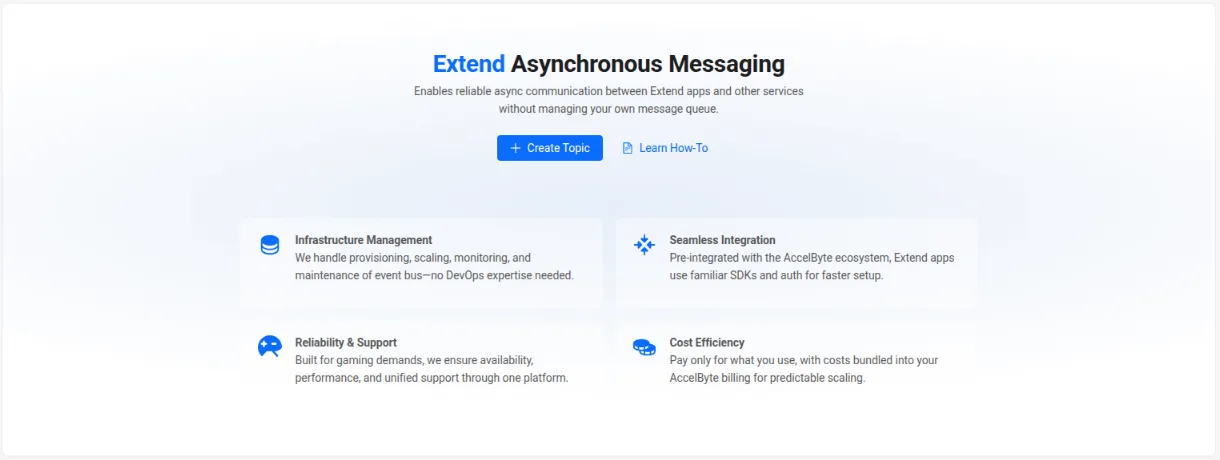
-
If you have existing topics, they will be listed in the same page and you are able to delete topics from here.

Subscribe and unsubscribe to event topics
-
On the
App Detailspage of your Extend Event Handler app, open theEvent Topicstab and clickSubscribe Event Topic.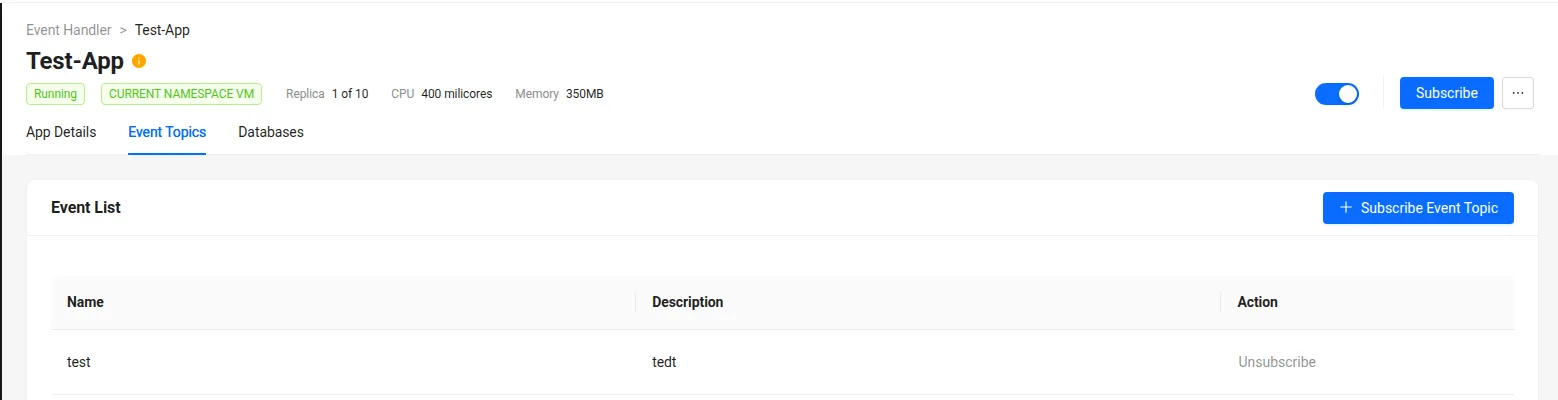
-
In the
Subscribe Event Topicpopup, select the event topics you want to subscribe to. note
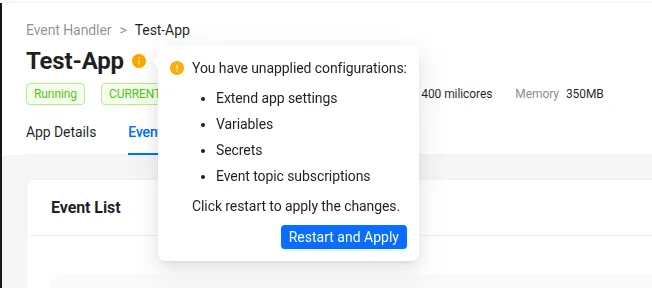
noteWhen subscribing to event topics for the first time, you may need to restart your Extend Event Handler app for the changes to take effect.
-
To unsubscribe from a topic, go to the
Event Listsection in theEvent Topicstab and clickUnsubscribenext to the corresponding event topic.
Publish custom events from your Extend app
- Go
-
In your Extend app project, create
pkg/proto/async_messagingfolder and put publisher_service.proto there. -
Run
make prototo generate publisher client code frompublisher_service.proto. -
Initialize the publisher client. Use
ASYNC_MESSAGING_PUBLISHER_GRPC_PORTenvironment variable value for the localhost port to connect to.publisherServiceAddr := "localhost:" + common.GetEnv("ASYNC_MESSAGING_PUBLISHER_GRPC_PORT", "7474")
publisherConn, err := grpc.NewClient(
publisherServiceAddr,
grpc.WithTransportCredentials(insecure.NewCredentials()),
)
if err != nil {
logrus.Fatalf("Failed to connect to publisher service at %s: %v", publisherServiceAddr, err)
}
defer publisherConn.Close() -
Publish custom events using the publisher client.
topic := "PlayerJoined"
event := PlayerJoinedEvent{
    EventType: "PlayerJoined",
    PlayerId:  req.PlayerId,
    Timestamp: time.Now().UTC().Format(time.RFC3339),
}

bodyBytes, err := json.Marshal(event)
if err != nil {
    return nil, status.Errorf(codes.Internal, "failed to marshal event: %v", err)
}

msg := &asyncMessaging.PublishMessageRequest{
    Body:     string(bodyBytes),
    Topic:    topic,
    Metadata: map[string]string{}, // Empty metadata
}
Consume custom events in your Extend Event Handler app
- Go
-
In your Extend Event Handler app project, create
pkg/proto/async_messagingfolder and put consumer_service.proto there. -
Run
make prototo generate consumer server code fromconsumer_service.proto. -
Implement the
OnMessagehandler for the custom events.package service
import (
"context"
"github.com/sirupsen/logrus"
"google.golang.org/protobuf/types/known/emptypb"
pb "extend-async-messaging/pkg/pb/async_messaging"
)
type AsyncMessagingHandler struct {
pb.UnimplementedAsyncMessagingConsumerServiceServer
}
func NewAsyncMessagingHandler() *AsyncMessagingHandler {
return &AsyncMessagingHandler{}
}
func (h *AsyncMessagingHandler) OnMessage(ctx context.Context, msg *pb.ReceivedMessage) (*emptypb.Empty, error) {
if msg.Topic == "" {
logrus.Error("received a message with empty topic")
} else {
logrus.Infof("received message from topic: %s, body: %s", msg.Topic, msg.Body)
}
return &emptypb.Empty{}, nil
} -
Register the handler.
asyncHandler := service.NewAsyncMessagingHandler()
pb.RegisterAsyncMessagingConsumerServiceServer(s, asyncHandler)
Samples
The sample Extend apps below includes an Extend Service Extension app that publishes a custom event, along with an Extend Event Handler app that consumes that event.
- Go
git clone https://github.com/AccelByte/extend-service-extension-with-am-publisher-go.git

git clone https://github.com/AccelByte/extend-event-handler-with-am-consumer-go.git