Extend アプリ仕様からコードを生成する
注釈:本資料はAI技術を用いて翻訳されています。
AGS CLI は AGS 向けの統一コマンドラインツールであり、Extend と AMS のツールも含まれるようになりました。このページの手順は現在も有効です。統合ツールの詳細は AGS CLI のドキュメント を参照してください。
Overview
Extend App UI では、react-minimal テンプレートを使用した基本的なワークフロー(AccelByte Gaming Services(AGS)API 呼び出しなし、コード生成なし)を説明しています。このページでは、コード生成を追加します。代わりに react テンプレートを使用し、Extend サービスの Swagger v2 仕様の URL で swaggers.json を設定し、コンポーネントに直接インポートできる型付き TypeScript API クライアントを生成します。
Extend サービスへの生の HTTP 呼び出しを記述する代わりに、その Swagger v2 仕様から直接型付き TypeScript API クライアントを生成できます。react テンプレートの package.json にすでに含まれており、npm run codegen で呼び出される @accelbyte/codegen ツールは、サービスの仕様をダウンロードし、React コンポーネントに直接インポートできる、すぐに使えるクエリ関数と型定義を生成します。
Key terms
共通の用語(Namespace、IAM 権限、AGS Public Cloud、AGS Private Cloud、App UI 名)については、Extend App UI の重要な用語を参照してください。
-
Swagger v2(OpenAPI 2.0 とも呼ばれる): サービスの API エンドポイントとデータ型を記述する、マシンが読み取り可能な形式です。
@accelbyte/codegenはこのファイルを読み取り、そこから型付き TypeScript クライアントを生成します。サポートされているのは Swagger v2 のみで、OpenAPI v3 仕様はサポートされていません。Extend Service Extension と Event Handler サービスは、/apidocs/api.jsonで仕様を公開しています。 -
Extend アプリ名(
<YourExtendAppName>): App UI が呼び出すバックエンドの Extend サービスを識別します。.env.localファイルのVITE_AB_EXTEND_APP_NAMEの値として設定します。これは App UI 名(<YourAppUIName>)とは異なります。App UI 名はAB_APPUI_NAMEの値であり、フロントエンドの UI 自体を識別します。
Prerequisites
Extend App UI のすべての前提条件がここにも適用されます。
Public Cloud では、すべての管理者ロールが Extend > My Extend Apps > App UI に移動し、Open UI をクリックしてデプロイ済みの App UI を起動できます。ただし、App UI がカスタム権限を必要とする Extend アプリのエンドポイントを呼び出す場合、現時点では Studio Admin ロールを持つアカウントのみが必要な権限を持ちます。Game Admin または View Only ロールのみを持つアカウントは 403 を受け取ります。将来のリリースでは、これらのロールのサポートが追加される予定です。詳細については、Public Cloud のデフォルトロールを参照してください。
Private Cloud では、ユーザーに紐づけられたロールに自由に権限を追加できます。ロールへの権限の追加を参照してください。
さらに、デプロイ済みの Extend Service Extension または Event Handler が必要です。その Service URL(<YourServiceURL>)をメモしてください。Admin Portal で Extend > My Extend Apps に移動し、アプリの詳細ページを開いて、Service URL というラベルの値をコピーします。コード生成に使用される Swagger v2 仕様は、その URL の下の /apidocs/api.json にあります。
このページの例では、バックエンドサービスとして Extend Tournament System を使用しているため、テンプレート全体で tournamentapi が表示されます。
Quick start
コード生成ツールがすでに設定された完全な React テンプレートをスキャフォールドします。
extend-helper-cli clone-template --scenario "Extend App UI" --template react -d react
cd react
このテンプレートには、swaggers.json(コード生成の仕様設定)、abcodegen.config.ts(コード生成オプション)、参照実装としての実際に動作するトーナメント管理 UI が含まれています。
Prerequisites の値を使用して環境変数を設定します。Extend Helper CLI はこれらの値を読み取るため、一度エクスポートすれば、以降のすべてのコマンドが正しく動作します。
- Bash
- PowerShell
export AB_BASE_URL='<YourAGSBaseURL>'
export AB_CLIENT_ID='<YourClientID>'
export AB_CLIENT_SECRET='<YourClientSecret>'
export AB_NAMESPACE='<YourGameNamespace>'
export AB_APPUI_NAME='<YourAppUIName>'
$env:AB_BASE_URL = '<YourAGSBaseURL>'
$env:AB_CLIENT_ID = '<YourClientID>'
$env:AB_CLIENT_SECRET = '<YourClientSecret>'
$env:AB_NAMESPACE = '<YourGameNamespace>'
$env:AB_APPUI_NAME = '<YourAppUIName>'
同じターミナルセッションで、App UI を登録し、.env.local を生成し、依存関係をインストールします。
- Bash
- PowerShell
extend-helper-cli appui create --namespace $AB_NAMESPACE --name $AB_APPUI_NAME
extend-helper-cli appui setup-env --namespace $AB_NAMESPACE --name $AB_APPUI_NAME
npm install
extend-helper-cli appui create --namespace $env:AB_NAMESPACE --name $env:AB_APPUI_NAME
extend-helper-cli appui setup-env --namespace $env:AB_NAMESPACE --name $env:AB_APPUI_NAME
npm install
setup-env コマンドは、認証変数と、シェル環境から事前に入力された VITE_AB_NAMESPACE を含む .env.local を生成します。VITE_AB_NAMESPACE と VITE_AB_EXTEND_APP_NAME は、開発サーバーが API 呼び出しを Extend アプリにルーティングするために使用するサービスパス(/ext-<YourGameNamespace>-<YourExtendAppName>)を一緒に制御するため、サービスを切り替える際にソースコードを変更する必要はありません。更新が必要なのは .env.local のみです。
.env.local を開き、VITE_AB_EXTEND_APP_NAME をバックエンドの Extend サービスの名前に設定します。
VITE_AB_EXTEND_APP_NAME=<YourExtendAppName>
.env.local には VITE_SINGLE_EXTEND_APP_ONLY=true も含まれています。このフラグは、devProxyPlugin に VITE_AB_EXTEND_APP_NAME を唯一のサービスターゲットとして使用するよう指示します。すべての API リクエストは /ext-<YourGameNamespace>-<YourExtendAppName> にルーティングされます。マルチアプリテンプレートに切り替えると、この変数は存在しません。生成された各クライアントには、Swagger 仕様からすでに独自のサービスパスが組み込まれています。同じ UI から複数の Extend アプリをターゲットにする方法については、複数の Extend アプリをターゲットにするを参照してください。
swaggers.json で、プレースホルダーの URL をサービスの Swagger URL に置き換えます。各エントリは [serviceName, aliasName, swaggerFileOutput, swaggerURL] にマッピングされます。
[["tournamentapi", "tournamentapi", "tournament.json", "https://<YourServiceURL>/apidocs/api.json"]]
serviceName: 生成されたファイルのsrc/配下の出力サブディレクトリとして使用される名前です。aliasName:serviceNameと一致させる必要があります。shouldProduceIndexFilesが無効になっているため、この設定では使用されません。swaggerFileOutput: ダウンロードした仕様をswaggers/の下にローカルでキャッシュするために使用されるファイル名です。swaggerURL: 取得する Swagger v2 の URL です。Extend アプリの場合、これはサービス URL の下の/apidocs/api.jsonです。
tournamentapi を独自のサービス名に置き換え(3 つの名前フィールドすべてを一貫して更新)、<YourServiceURL> をサービスの URL に置き換えます。
npm run codegen
これにより、型付き TypeScript ファイルが src/tournamentapi/(エントリの名前を変更した場合は src/<your-module-name>/)に生成されます。react テンプレートは、モジュール名をサブディレクトリとして、生成されたファイルを直接 src/ 配下に出力します。
生成されたクライアントの準備が整いました。ホットリロード付きのローカル開発サーバーを開始するには、以下を実行します。
npm run dev
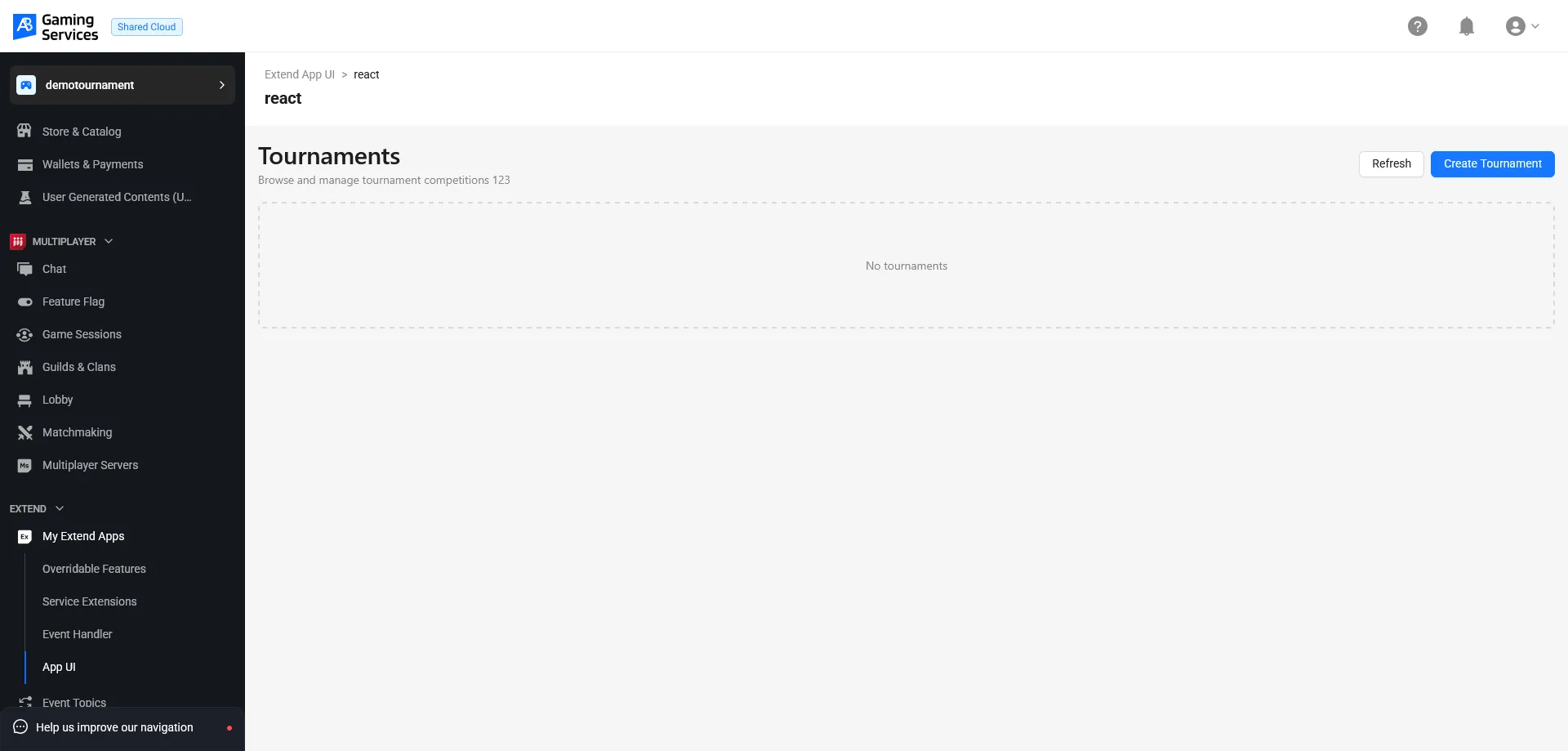
ターミナルに表示された URL(通常は http://localhost:5173)を開きます。トーナメントサービスの UI が表示されます。AccelByte インフラストラクチャにデプロイするには、App UI をアップロードします。
- Bash
- PowerShell
extend-helper-cli appui upload --namespace $AB_NAMESPACE --name $AB_APPUI_NAME
extend-helper-cli appui upload --namespace $env:AB_NAMESPACE --name $env:AB_APPUI_NAME
アップロードが完了したら、Admin Portal に移動し、Extend > My Extend Apps > App UI に移動します。アプリのテーブル行で Open UI をクリックします。ゲームの Namespace にアクセスできるユーザーであれば、誰でも App UI を確認できます。
Codegen configuration
abcodegen.config.ts は、@accelbyte/codegen が Swagger 仕様から TypeScript を生成する方法を制御します。テンプレートには、次のデフォルト値があらかじめ設定されています。
{
  // 空の文字列は、生成されたファイルから Swagger の `basePath` をクリアします。
  // Extend アプリ名と Namespace は VITE_AB_EXTEND_APP_NAME を通じて実行時に設定されるため、
  // いかなる形でもソースコード管理にコミットされません。
  basePath: '',

  // インデックスファイルの生成をスキップします。これらは npm ライブラリには有用ですが、
  // 生成されたコードがローカルで使用される場合は不要です。
  shouldProduceIndexFiles: false,

  // TypeScript で正しく解決されない特定の型を上書きします。
  // ProtobufAny は、`additionalProperties: {}` を持つスキーマの例であり、
  // そうしないと使用できない型が生成されてしまいます。
  overrideAsAny: {
    ProtobufAny: true
  }
}
basePath: '' を設定すると、生成されたすべての API クライアントの URL からサービスパスが取り除かれます。仕様の basePath には通常、Extend アプリのサービスパス(例: /ext-mygame-myservice)が含まれますが、これはデプロイごとに異なります。これをクリアすることで、生成されたクライアントはサービスプレフィックスを付けずに /v1/public/... のようなパスにリクエストを送信します。テンプレートのモジュールコードは VITE_AB_EXTEND_APP_NAME を読み取り、正しいサービスパスのプレフィックスを注入します。複数のアプリをターゲットにする場合、各クライアントは代わりに仕様から独自の basePath を保持するため、実行時の環境変数は不要です。この違いについては、複数の Extend アプリをターゲットにする: Codegen 設定を参照してください。
overrideAsAny オプションは、Extend サービスが protobuf 由来の型を使用している場合に便利です。ProtobufAny は Swagger の以下のスキーマにマッピングされます。
{
  "protobufAny": {
    "type": "object",
    "properties": {
      "@type": {
        "type": "string"
      }
    },
    "additionalProperties": {}
  }
}
TypeScript は additionalProperties: {} から有用な型を導出できないため、ProtobufAny: true を設定すると、コード生成は解決不能な型の代わりに any を出力するようになります。
Next steps
- 1 つの App UI で複数の Extend アプリをターゲットにする: 単一の App UI から複数の Extend サービスを管理する方法。
- Extend App UI SDK API リファレンス:
@accelbyte/sdk-extend-app-uiによってエクスポートされるコンポーネントと関数の完全なリファレンス。 - Extend App UI のトラブルシューティング: 一般的な App UI の問題を診断し、修正する方法。