Generate code from Extend app specs
The AGS CLI is the unified command-line tool for AGS, and it now includes Extend and AMS tooling. The instructions on this page remain valid today. See the AGS CLI documentation to learn about the unified tool.
Overview
Extend App UI covers the base workflow using the react-minimal template: no AccelByte Gaming Services (AGS) API calls, no codegen. This page adds code generation: you use the react template instead, configure swaggers.json with your Extend service's Swagger v2 spec URL, and generate typed TypeScript API clients you can import directly into your components.
Instead of writing raw HTTP calls to your Extend service, you can generate typed TypeScript API clients directly from its Swagger v2 spec. The @accelbyte/codegen tool, already included in the react template's package.json and invoked via npm run codegen, downloads your service's spec and produces ready-to-use query functions and type definitions that you can import directly into your React components.
Key terms
For shared terms (Namespace, IAM permissions, AGS Public Cloud, AGS Private Cloud, App UI name), see Extend App UI key terms.
-
Swagger v2 (also called OpenAPI 2.0): a machine-readable format that describes your service's API endpoints and data types.
@accelbyte/codegenreads this file to generate typed TypeScript clients from it. Only Swagger v2 is supported; OpenAPI v3 specs are not. Extend Service Extension and Event Handler services expose their specs at/apidocs/api.json. -
Extend app name (
<YourExtendAppName>): identifies the backend Extend service your App UI calls. You set this as the value ofVITE_AB_EXTEND_APP_NAMEin your.env.localfile. It is different from the App UI name (<YourAppUIName>), which is the value ofAB_APPUI_NAMEand identifies the frontend UI itself.
Prerequisites
All prerequisites from Extend App UI apply here.
In Public Cloud, all admin roles can navigate to Extend > My Extend Apps > App UI and click Open UI to launch a deployed App UI. But when the App UI calls an Extend app endpoint that requires a custom permission, only accounts with the Studio Admin role currently have the required permission. Accounts with only the Game Admin or View Only role receive a 403. A future release will include support for these roles. For details, see Default roles in Public Cloud.
In Private Cloud, you can freely add permissions to the role attached to your user. See Add permissions to a role.
In addition, you need a deployed Extend Service Extension or Event Handler. Take note of its Service URL (<YourServiceURL>): in the Admin Portal, go to Extend > My Extend Apps, open your app's detail page, and copy the value labeled Service URL. The Swagger v2 spec used for code generation is at /apidocs/api.json under that URL.
The examples on this page use the Extend Tournament System as the backend service, so you'll see tournamentapi throughout the template.
Quick start
Scaffold the full React template, which comes with codegen tooling already configured:
extend-helper-cli clone-template --scenario "Extend App UI" --template react -d react
cd react
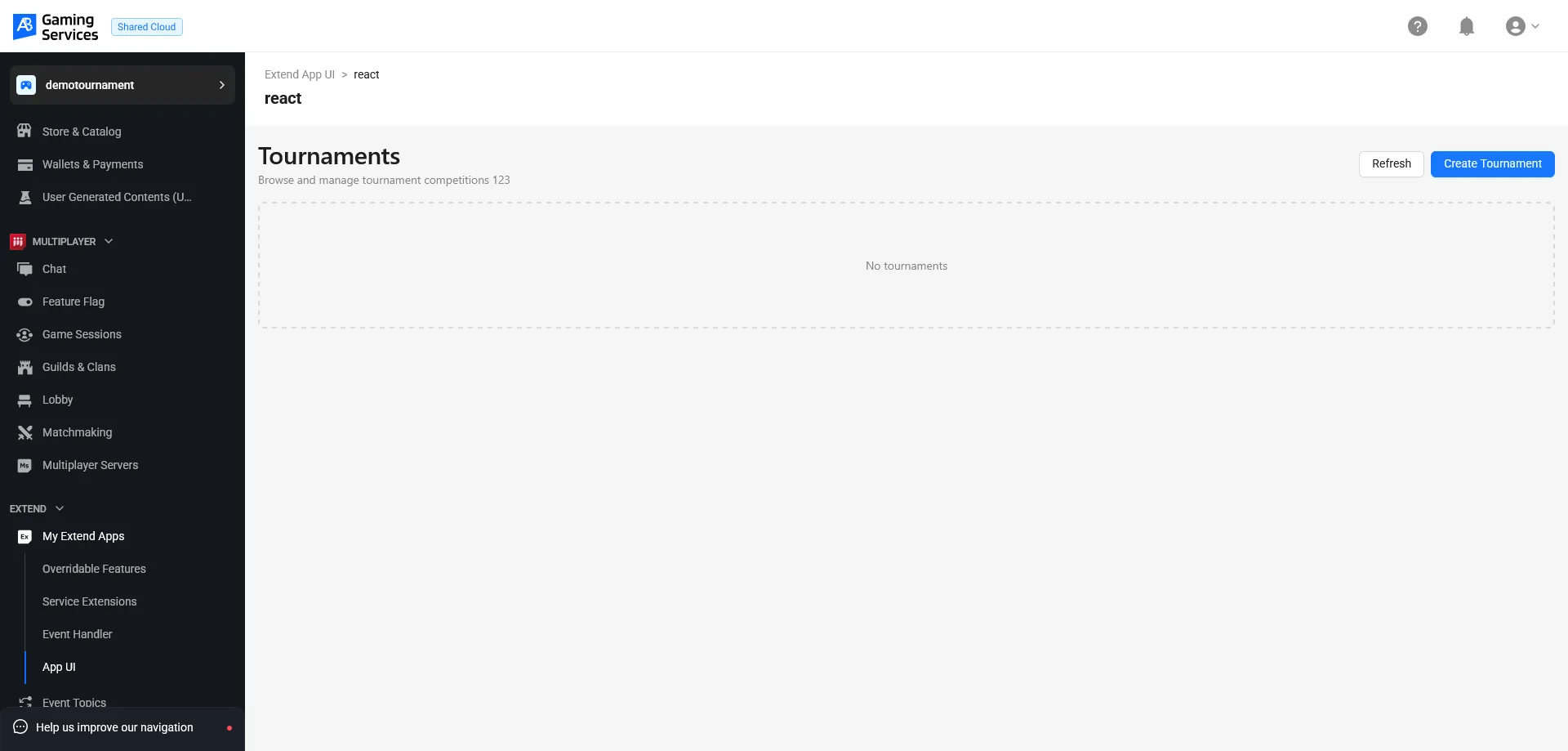
This template includes swaggers.json (codegen spec configuration), abcodegen.config.ts (codegen options), and a working tournament management UI as a reference implementation.
Set your environment variables using the values from Prerequisites. The Extend Helper CLI reads from these, so export them once and every subsequent command just works:
- Bash
- PowerShell
export AB_BASE_URL='<YourAGSBaseURL>'
export AB_CLIENT_ID='<YourClientID>'
export AB_CLIENT_SECRET='<YourClientSecret>'
export AB_NAMESPACE='<YourGameNamespace>'
export AB_APPUI_NAME='<YourAppUIName>'
$env:AB_BASE_URL = '<YourAGSBaseURL>'
$env:AB_CLIENT_ID = '<YourClientID>'
$env:AB_CLIENT_SECRET = '<YourClientSecret>'
$env:AB_NAMESPACE = '<YourGameNamespace>'
$env:AB_APPUI_NAME = '<YourAppUIName>'
In the same terminal session, register the App UI, generate .env.local, and install dependencies:
- Bash
- PowerShell
extend-helper-cli appui create --namespace $AB_NAMESPACE --name $AB_APPUI_NAME
extend-helper-cli appui setup-env --namespace $AB_NAMESPACE --name $AB_APPUI_NAME
npm install
extend-helper-cli appui create --namespace $env:AB_NAMESPACE --name $env:AB_APPUI_NAME
extend-helper-cli appui setup-env --namespace $env:AB_NAMESPACE --name $env:AB_APPUI_NAME
npm install
The setup-env command generates .env.local with authentication variables and VITE_AB_NAMESPACE pre-filled from your shell environment. Together, VITE_AB_NAMESPACE and VITE_AB_EXTEND_APP_NAME control the service path that the dev server uses to route API calls to your Extend app (/ext-<YourGameNamespace>-<YourExtendAppName>), so you don't need to modify any source code when switching services. Only .env.local needs updating.
Open .env.local and set VITE_AB_EXTEND_APP_NAME to the name of your backend Extend service:
VITE_AB_EXTEND_APP_NAME=<YourExtendAppName>
.env.local also includes VITE_SINGLE_EXTEND_APP_ONLY=true. This flag tells the devProxyPlugin to use VITE_AB_EXTEND_APP_NAME as the sole service target: all API requests are routed to /ext-<YourGameNamespace>-<YourExtendAppName>. When you switch to the multi-app template, this variable is absent. Each generated client already has its own service path baked in from the Swagger spec. To target multiple Extend apps from the same UI, see Target multiple Extend apps.
In swaggers.json, replace the placeholder URL with your service's Swagger URL. Each entry maps to [serviceName, aliasName, swaggerFileOutput, swaggerURL]:
[["tournamentapi", "tournamentapi", "tournament.json", "https://<YourServiceURL>/apidocs/api.json"]]
serviceName: the name used as the output subdirectory undersrc/for generated files.aliasName: must matchserviceName. It is unused in this setup becauseshouldProduceIndexFilesis disabled.swaggerFileOutput: the filename used to cache the downloaded spec locally underswaggers/.swaggerURL: the Swagger v2 URL to fetch. For Extend apps, this is/apidocs/api.jsonunder the service URL.
Replace tournamentapi with your own service name (update all three name fields consistently) and replace <YourServiceURL> with your service's URL.
npm run codegen
This generates typed TypeScript files into src/tournamentapi/ (or src/<your-module-name>/ if you renamed the entry). The react template outputs generated files directly under src/ with the module name as the subdirectory.
Your generated clients are now ready. To start a local dev server with hot reload:
npm run dev
Open the URL shown in your terminal (typically http://localhost:5173). You will be able to see the UI for the Tournament service. To deploy to AccelByte infrastructure, upload your App UI:
- Bash
- PowerShell
extend-helper-cli appui upload --namespace $AB_NAMESPACE --name $AB_APPUI_NAME
extend-helper-cli appui upload --namespace $env:AB_NAMESPACE --name $env:AB_APPUI_NAME
After the upload completes, go to the Admin Portal and navigate to Extend > My Extend Apps > App UI. Click Open UI on the app's table row. Anyone with access to your game namespace can see the App UI.
Codegen configuration
abcodegen.config.ts controls how @accelbyte/codegen generates TypeScript from your Swagger spec. The template ships with these defaults:
{
  // Empty string clears Swagger's `basePath` from the generated files.
  // The Extend app name and namespace are set at runtime via VITE_AB_EXTEND_APP_NAME,
  // so they are not committed to source control in any way.
  basePath: '',

  // Skips generating index files. These are useful for npm libraries,
  // but unnecessary when the generated code is used locally.
  shouldProduceIndexFiles: false,

  // Overrides specific types that don't resolve cleanly in TypeScript.
  // ProtobufAny is an example of a schema with `additionalProperties: {}`
  // that would otherwise produce an unusable type.
  overrideAsAny: {
    ProtobufAny: true
  }
}
Setting basePath: '' strips the service path from all generated API client URLs. A spec's basePath typically contains the Extend app's service path (for example, /ext-mygame-myservice), which differs per deployment. By clearing it, the generated client sends requests to paths like /v1/public/... with no service prefix attached. The template module code reads VITE_AB_EXTEND_APP_NAME to inject the correct service path prefix. When targeting multiple apps, each client instead keeps its own basePath from the spec so no runtime environment variable is needed; see Target multiple Extend apps: Codegen configuration for how that differs.
The overrideAsAny option is useful when your Extend service uses protobuf-derived types. ProtobufAny maps to this schema in Swagger:
{
  "protobufAny": {
    "type": "object",
    "properties": {
      "@type": {
        "type": "string"
      }
    },
    "additionalProperties": {}
  }
}
TypeScript can't derive a useful type from additionalProperties: {}, so setting ProtobufAny: true tells the codegen to emit any instead of an unresolvable type.
Next steps
- Target multiple Extend apps in one App UI: to manage several Extend services from a single App UI.
- Extend App UI SDK API reference: full reference for the components and functions exported by
@accelbyte/sdk-extend-app-ui. - Troubleshoot Extend App UI: diagnose and fix common App UI issues.