Set up Device ID as an identity provider
Overview
A Device ID is a unique identifier for a device. With AccelByte Gaming Services (AGS), your player can use their Device ID to log in to your game and give them a headless account. Read the getting online tutorials for Unreal Engine and Unity to learn how to integrate a Device ID login method into your game.
Goals
- Enable Device ID authentication for your game using the AGS SDK.
Prerequisites
- An AGS Admin Portal account with permissions to manage authentication.
- A game namespace.
- To follow the AGS CLI steps, install the AGS CLI and sign in with an account that has access to these features. See Install and sign in. The examples use a Bash shell.
Set up the Device ID login provider in AGS
- Admin Portal
- AGS CLI
-
In the AGS Admin Portal, go to your game namespace.
-
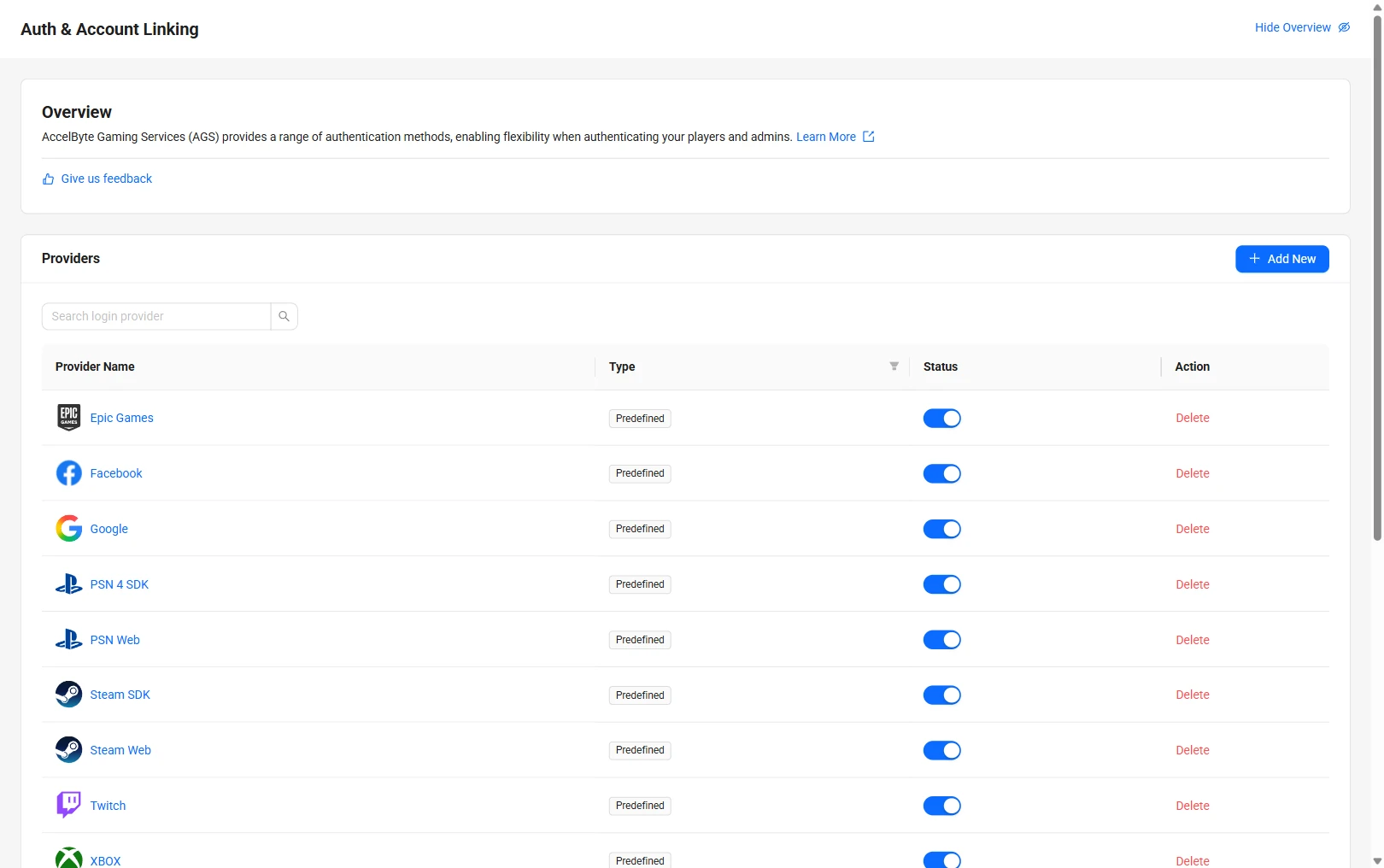
On the sidebar menu, go to Foundations > 3rd Party Integrations > Auth & Account Linking.
-
On the Auth & Account Linking page, click + Add New.
-
On the Select login provider page, find Device ID under the Device tab and click on it.

-
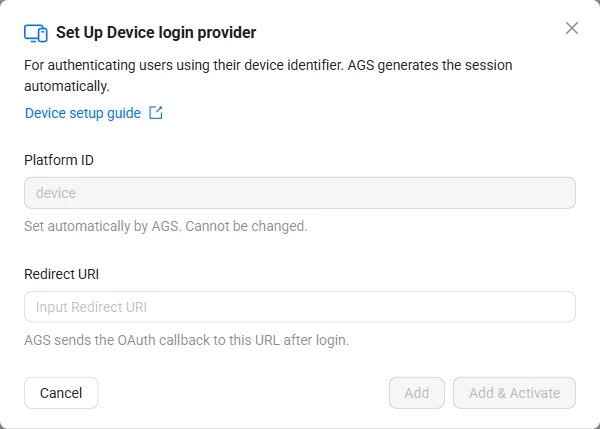
The Set Up Device login provider form appears.
-
Fill in the following fields:
- Platform ID:
device. Set automatically. Cannot be changed. - Redirect URI: The OAuth callback URL. Defaults to
http://127.0.0.1.
- Platform ID:
-
Click Add & Activate to create and activate the provider in one step. Alternatively, click Add to create without activating.
-
Add the provider. Replace
<YourGameNamespace>with your game namespace:ags iam platform-credentials create --namespace <YourGameNamespace> --platform-id device --json '{"RedirectUri": "http://127.0.0.1", "IsActive": true}'RedirectUriishttp://127.0.0.1, the same default the Admin Portal fills in."IsActive": trueadds and activates the provider, like Add & Activate. To add it without activating it, like Add, usefalse.
Edit a login provider
- Admin Portal
- AGS CLI
-
On the Auth & Account Linking page, click the Device ID provider.
-
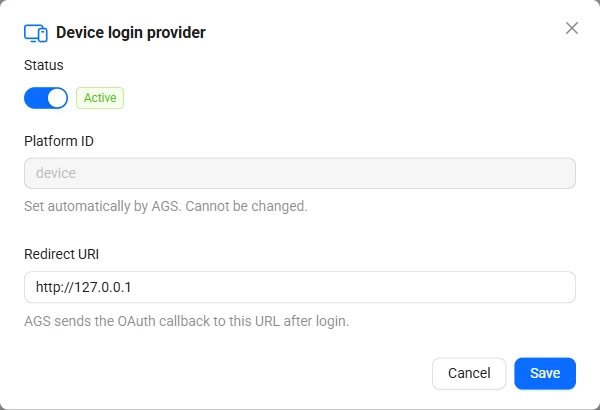
The Device login provider dialog appears. Update the fields as needed.
-
Use the Status toggle at the top to activate or deactivate the provider.
-
Click Save.
-
Check the provider's current settings:
ags iam platform-credentials get --namespace <YourGameNamespace> --platform-id device -
Send only the fields you want to change. Fields you leave out keep their current values. For example, to deactivate the provider:
ags iam platform-credentials update --namespace <YourGameNamespace> --platform-id device --json '{"IsActive": false}'To activate it, send
{"IsActive": true}.
Best practice
Since your users don't need to input any credentials as they will be using a device to log in, there's a risk a user will lose access to their device and it will be difficult to recover their account. To mitigate this risk, we suggest you prompt your users to upgrade their headless account to a full account. For more details about accounts, you can read the documentation on how accounts work.