Set up Nintendo as an identity provider
Overview
This guide helps developers connect Nintendo accounts to AccelByte Gaming Services (AGS). For more information about Nintendo development, refer to Nintendo's developer documentation.
This guide is intended for public use and contains limited information due to confidentiality. We recommend you refer to the full confidential guide first. To request a copy of the confidential guide, contact your AccelByte Technical Producer.
Goals
- Enable the Nintendo authentication method for your game with the AGS SDK.
Prerequisites
- A valid Nintendo Developer account.
- An App ID from your Nintendo developer console.
- An AGS Admin Portal account to set up authentication and manage permissions.
- A game namespace.
- Familiarity with AGS Identity and Access Management (IAM) Clients.
- To follow the AGS CLI steps, install the AGS CLI and sign in with an account that has access to these features. See Install and sign in. The examples use a Bash shell.
Set up Nintendo on the Nintendo Developer Portal
Contact your Nintendo representative and follow Nintendo's documentation on the Nintendo Developer Portal to create an application and obtain your App ID.
Set up the Nintendo login provider in AGS
Configuration steps
- Admin Portal
- AGS CLI
-
In the AGS Admin Portal, go to your game namespace.
-
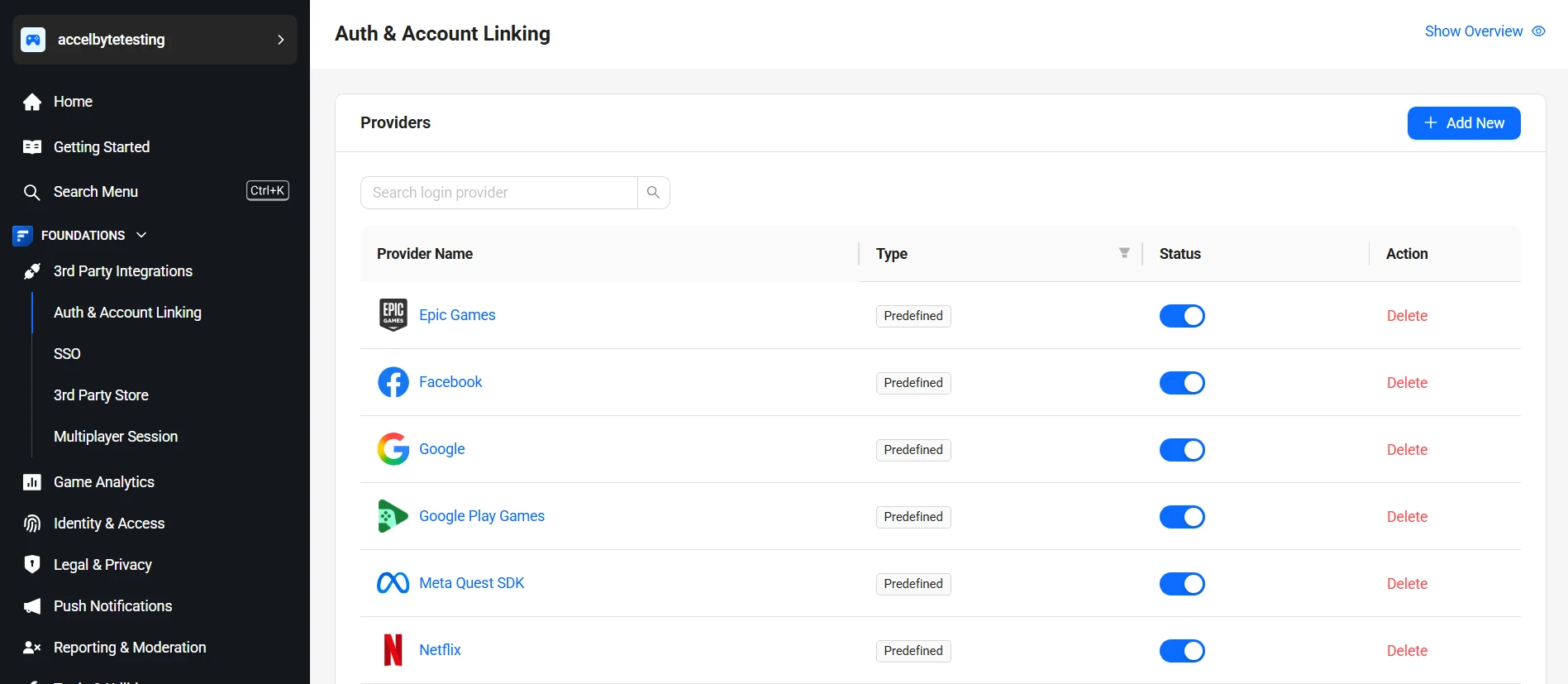
On the sidebar menu, go to Foundations > 3rd Party Integrations > Auth & Account Linking.
-
On the Auth & Account Linking page, click + Add New.
-
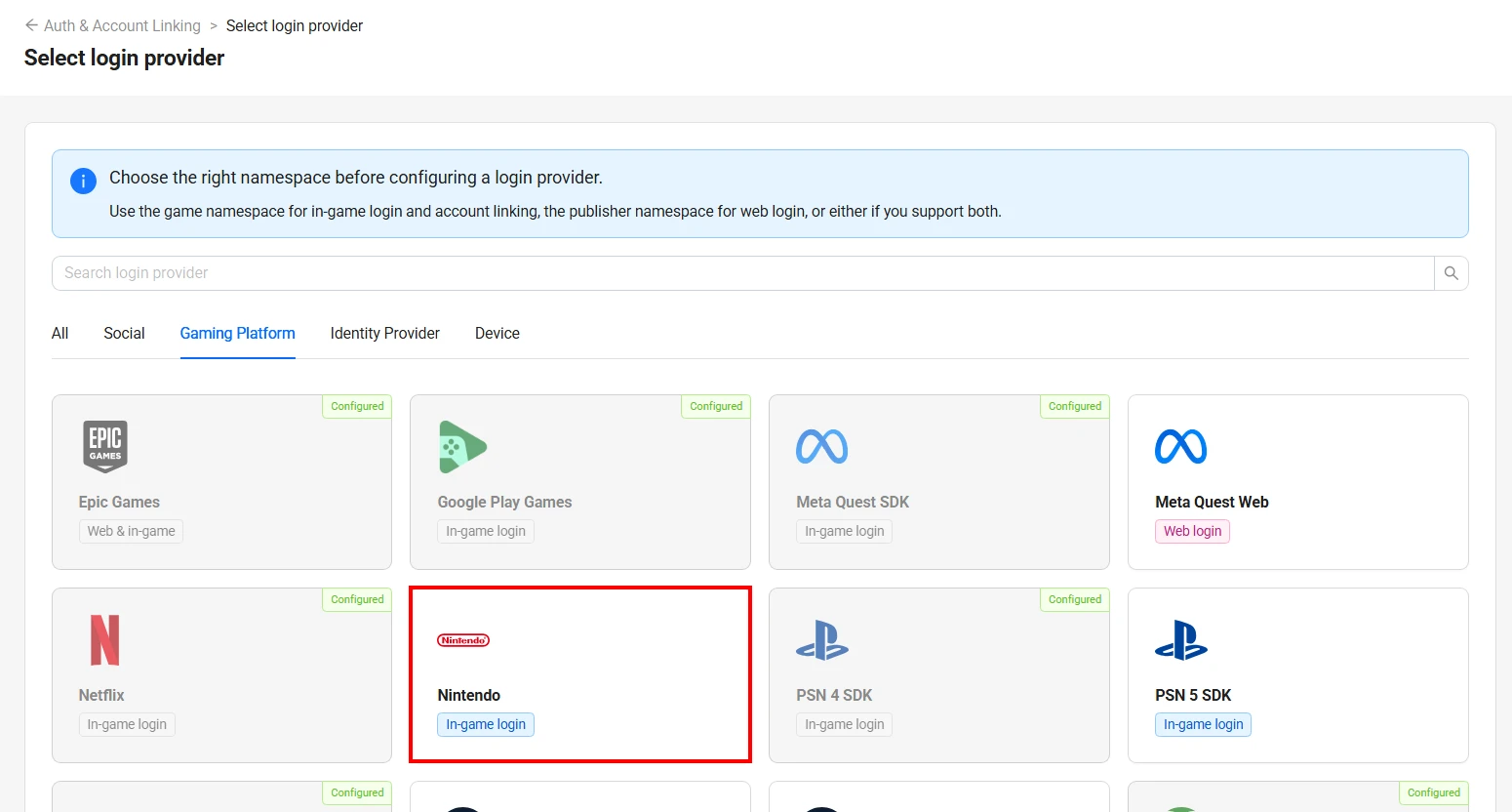
On the Select login provider page, find Nintendo under the Gaming Platform tab and click it.
-
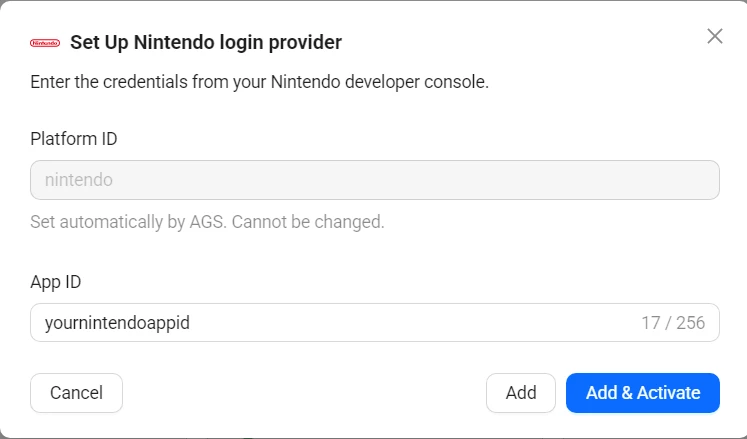
The Set Up Nintendo login provider form appears. Fill in the following fields:
- Platform ID:
nintendo. Set automatically by AGS. Cannot be changed. - App ID: Your Nintendo application's App ID.
- Platform ID:
-
Click Add & Activate to create and activate the provider in one step. Alternatively, click Add to create without activating.
Add the provider. Replace <YourGameNamespace> with your game namespace and <YourNintendoAppId> with your Nintendo application's App ID:
ags iam platform-credentials create --namespace <YourGameNamespace> --platform-id nintendo \
  --json '{"AppId": "<YourNintendoAppId>", "IsActive": true}'
IsActive: true adds and activates the provider, like Add & Activate. false adds it without activating it, like Add.
Edit a login provider
- Admin Portal
- AGS CLI
-
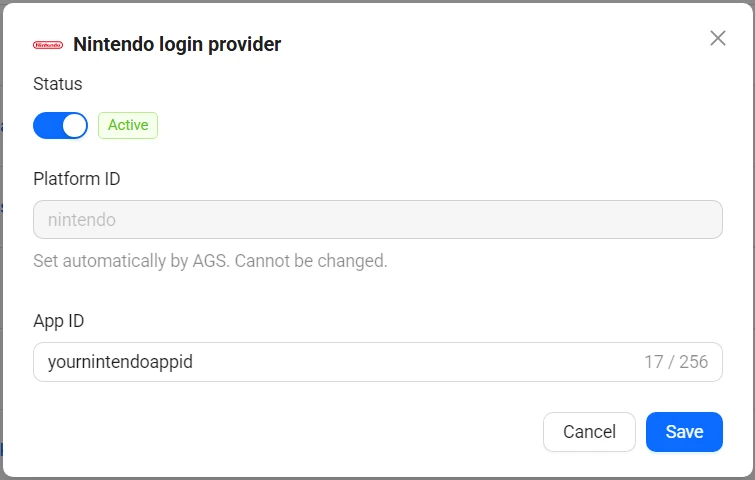
On the Auth & Account Linking page, click the Nintendo provider you want to edit.
-
The provider's configuration panel appears on the right side. Update the fields as needed.
-
Use the Status toggle at the top to activate or deactivate the provider.
-
Click Save.
-
Check the provider's current settings:
ags iam platform-credentials get --namespace <YourGameNamespace> --platform-id nintendo -
Send only the fields you want to change. Fields you leave out keep their current values. For example, to deactivate the provider:
ags iam platform-credentials update --namespace <YourGameNamespace> --platform-id nintendo --json '{"IsActive": false}'To activate it, send
{"IsActive": true}.
Create an IAM client for Nintendo
An IAM client is a representation of the game client that you want to release on your target platform. Learn more about IAM Clients in Manage access control for applications.